Salesforce.com Quick Login As
插件截图
插件概述
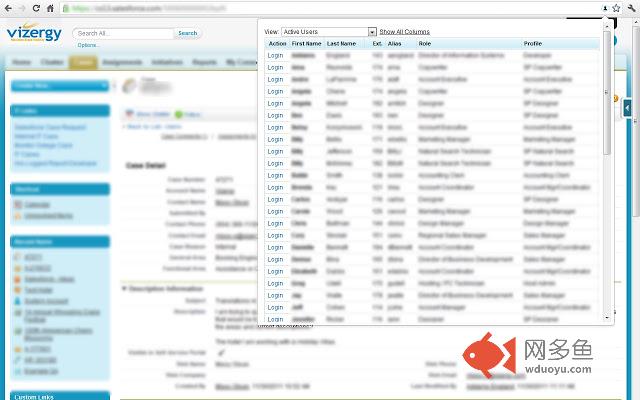
Makes it easy to login as another user. Maintains the page currently being viewed.插件详情
Have an issue or a great idea for this extension? Visit the support tab above to leave feedback.Main Points
- Supports Classic and Lightning.
- Gives a popup of the users listed on the user listing page so you can select to login as a different user on any page.
- When a user is selected, it logs you in as that user and keeps you on the page you were viewing.
- When you log out, it will take you back to the page you were originally on when you logged in as the other user.
Additional Points
- Above the user list in the popup, the "View" dropdown is available so you can change to another view from the user listing page.
- Only the first 4 columns from the user listing table are shown by default (including the login column) since the popup has a limited width. A "All Columns" button is available if you can't identify the user you need by the default columns shown.
Updates
6/14/2019 - Now supports lightning
7/8/2015 - Added Filter textbox for quickly finding users
4/23/2012 - Now works with emea accounts
4/1/2012 - Now works with custom Salesforce domains
其他信息
官方唯一标识:dccccilg****************ioipoojh
官方最后更新日期:2019年6月27日
分类:开发者工具
大小:49.2KiB
版本:2
语言:English
提供方:none
星级:4.5
插件下载
| 下载链接一 下载链接二 |
| Chrome插件离线安装教程 |
温馨提示
本站中的部份内容来源网络和网友发布,纯属个人收集并供大家交流学习参考之用,版权归版权原作者所有。
如果您发现网站上有侵犯您的知识产权的作品,请与我们取得联系,我们会及时修改或删除。
如果您觉得网多鱼对您有帮助,欢迎收藏我们 Ctrl+D。