HttpWatch
插件截图
插件概述
Works with HttpWatch software (version 11 or 12) on Windows to show HTTP/HTTPS traffic generated by the Chrome browser插件详情
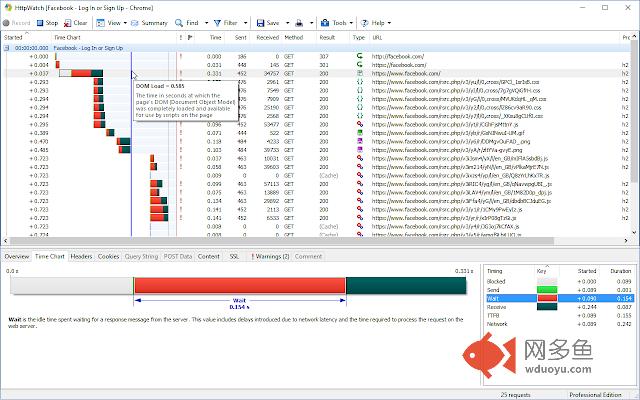
PLEASE NOTE: This extension is designed to work with the HttpWatch software version 11 & 12 on Windows (see www.httpwatch.com). It is not intended to be a stand-alone Chrome extension.HttpWatch supports many additional features compared to the built-in DevTools network panel:
- Supports multi-page debugging by grouping requests by page
- Supports automatic recording and logging of network traffic in each Chrome tab without additional user intervention
- Displays warnings about well know performance and security issues, e.g. ineffective cache settings
- Advanced Find and Filter functions make it easier to locate requests or content
- Automatically masks out passwords in POST form data so that they are not recorded in HWL or HAR files
- Built in summaries of page level statistics, e.g. bytes downloaded, network round trips, etc
- Add comments to requests to help subsequent analysis of log files
- Directly email HWL or HAR files from within the tool
Currently the tool is Windows only and requires a separate download from https://www.httpwatch.com to copmplete the installation once the Chrome Extension is installed.
HttpWatch acts as an in-browser HTTP sniffer and displays detailed information about HTTP(S) requests generated by Chrome. This information includes:
- HTTP headers
- HTTP cookies
- Status codes and errors
- Query Strings
- POST Data
- Content - image, textual and binary
- Timings
其他信息
官方唯一标识:dajhhgii****************jbinhimh
官方最后更新日期:2019年6月14日
分类:开发者工具
大小:41.76KiB
版本:12.0.2
语言:English
提供方:www.httpwatch.com
星级:2
插件下载
| 下载链接一 下载链接二 |
| Chrome插件离线安装教程 |
温馨提示
本站中的部份内容来源网络和网友发布,纯属个人收集并供大家交流学习参考之用,版权归版权原作者所有。
如果您发现网站上有侵犯您的知识产权的作品,请与我们取得联系,我们会及时修改或删除。
如果您觉得网多鱼对您有帮助,欢迎收藏我们 Ctrl+D。