D2 - Developer Documentation
插件截图
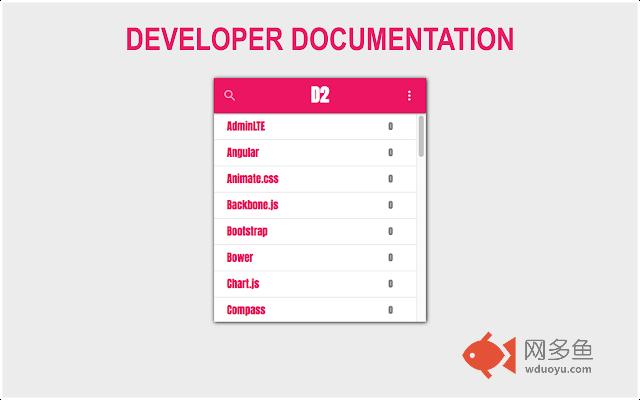
插件概述
Quick access to popular libraries, frameworks & tools online developer documentation插件详情
# D2 - Developer DocumentationQuick access to popular libraries, frameworks & tools online developer documentation.
With all these great frameworks & libraries out there, it's hard to master each one of them.
*D2* (Developer Documentation) provides links to online documentation of the most popular frameworks, libraries and other development tools, so you’ll able to get some answers quickly.
## Installation
1. Open [D2 page on Chrome Web Store](https://chrome.google.com/webstore/detail/d2-developer-documentatio/pcndaioeajanljljbjglanbmnmhgdjln) on Google Chrome Webstore
2. Click on the blue "Add to Chrome" button
3. Confirm installation by clicking on the "Add extension" button
## How To Use
1. Click on the extension's logo to open the links list.
Alternatively, you can set a keyboard shortcut on Chrome Extensions page (chrome://extensions/ >> Keyboard shortcuts)
2. Open a link:
- Click on the search icon, type a tool's name and click on its link, or:
- Type a tool's name and click enter, or:
- Scroll down with your mouse and click on any link
## Submit a New Link
1. Open [D2 repository](https://github.com/nire0510/d2) on Github
2. Make sure the link is not already in the file
3. [Edit `data.json` file](https://github.com/nire0510/d2/edit/master/data.json)
4. Add your link object to the bottom of the array:
```json
{
"name": "Tool's name as appear on its website",
"description": "Tool's description as appear on its website, up to 100 characters",
"tags": ["lowered", "case", "tags"],
"link": "direct link to documentation / api page, e.g. https://emberjs.com/api/",
"timestamp": "current date as YYYY-MM-DD, e.g. 2017-01-01",
"credit": "your_username@some_website, e.g. nire0510@github"
}
```
5. Submit your PR
其他信息
官方唯一标识:pcndaioe****************nmhgdjln
官方最后更新日期:2017年5月6日
分类:开发者工具
大小:249KiB
版本:0.1.11
语言:English
提供方:none
星级:5
插件下载
| 下载链接一 下载链接二 |
| Chrome插件离线安装教程 |
温馨提示
本站中的部份内容来源网络和网友发布,纯属个人收集并供大家交流学习参考之用,版权归版权原作者所有。
如果您发现网站上有侵犯您的知识产权的作品,请与我们取得联系,我们会及时修改或删除。
如果您觉得网多鱼对您有帮助,欢迎收藏我们 Ctrl+D。