ChromeVox
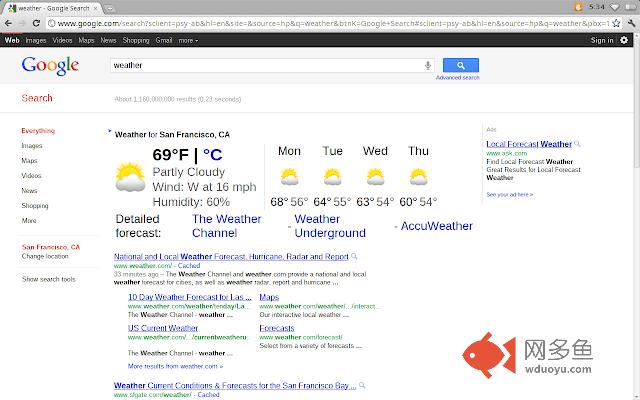
插件截图
插件概述
ChromeVox - 为Chrome提供语音功能插件详情
The ChromeVox screen reader is an extension to Chrome that brings the speed, versatility, and security of Chrome to visually impaired users.Unlike most accessibility software, it is built using only web technologies like HTML5, CSS and Javascript. ChromeVox was designed from the start to enable unprecedented access to modern web apps, including those that utilize W3C ARIA (Access to Rich Internet Applications) to provide a rich, desktop-like experience. This enables visually impaired users to experience the power of web applications while also giving developers a way to verify the accessibility of their web applications.
Its simple yet powerful navigation is easy to learn and quickly gets new users up to speed browsing web sites and web-based applications eyes-free. Check out the documentation at http://code.google.com/p/google-axs-chrome/ for the user guide, tutorial, keyboard shortcut and developer reference guides.
Note: ChromeVox is still in development and currently doesn’t work in conjunction with desktop screen readers. In order to best use ChromeVox on your computer, you will need to disable your desktop screen reader when using ChromeVox.
ChromeVox is just one of the Google Accessibility extensions. Be sure to check out ChromeVis, ChromeShades, and ChromeLite as well!
其他信息
官方唯一标识:kgejglhp****************bhoiplfn
官方最后更新日期:2019年1月3日
分类:开发者工具
大小:2.95MiB
版本:53.0.2784.5
语言:支持52种语言
提供方:chrome.google.com
星级:2.6
插件下载
| 下载链接一 下载链接二 |
| Chrome插件离线安装教程 |
温馨提示
本站中的部份内容来源网络和网友发布,纯属个人收集并供大家交流学习参考之用,版权归版权原作者所有。
如果您发现网站上有侵犯您的知识产权的作品,请与我们取得联系,我们会及时修改或删除。
如果您觉得网多鱼对您有帮助,欢迎收藏我们 Ctrl+D。