AEM DEV Shortcuts
插件截图
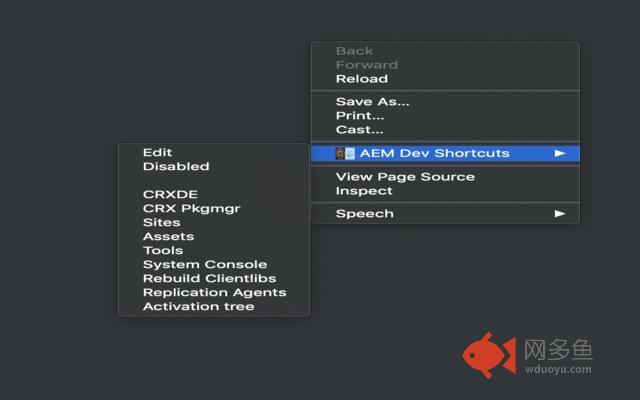
插件概述
Switch between EDIT/DISABLED mode by pressing Shift+E/Shift+D. Go to AEM windows by right click and choose from ContextMenu插件详情
Open any pages in author and switch between edit/disabled mode by SHIFT+E/SHIFT+D and ALT+SHIFT+Z to duplicate the tab.Goto localhost:4502 CRXDE by pressing SHIFT + Alt + L
Goto localhost:4503 CRXDE by pressing SHIFT + Alt + P
Login to any author env and from there navigate to AEM windows like CRXDE, Package manager, Sites, Assets, Tools, System console, Replication Agents, Activation tree & Rebuild clientlibs. You may need admin rights in your machine, as it is trying to access your keyboard interaction.
其他信息
官方唯一标识:gnanfenb****************fhndefei
官方最后更新日期:2019年7月2日
分类:开发者工具
大小:23.6KiB
版本:2.0
语言:English
提供方:none
星级:5
插件下载
| 下载链接一 下载链接二 |
| Chrome插件离线安装教程 |
温馨提示
本站中的部份内容来源网络和网友发布,纯属个人收集并供大家交流学习参考之用,版权归版权原作者所有。
如果您发现网站上有侵犯您的知识产权的作品,请与我们取得联系,我们会及时修改或删除。
如果您觉得网多鱼对您有帮助,欢迎收藏我们 Ctrl+D。