Zendesk Quicktab
插件截图
插件概述
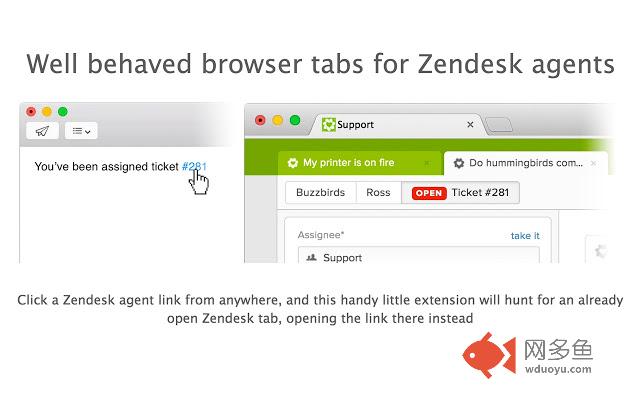
Well behaved browser tabs for Zendesk agents插件详情
[BETA] Zendesk Quicktab attempts to make tab management a little easier by monitoring when a tab goes to Zendesk /agent link. Zendesk Quicktab will then quickly check to see if you might already have a browser tab with the agent interface open already. If you do, Quicktab will open the link there instead.Quicktab will begin working as soon as you install it. No set up needed!
# What permissions does Quicktab need?
The extension needs a number of permissions in order to do its job of keeping your browser tabs in check. Below is an explanation of each permission requested.
** Read and change your data on all zendesk.com sites **
The extension only ever executes JavaScript in your "zendesk.com/agent" browser tabs. The JavaScript is used to send a message to the interface that it needs to navigate you to somewhere in the application, based on the link you clicked. For example, it will tell the interface to take you to a ticket, a user profile, an admin page, etc.
** Read your browsing history **
The extension never actually looks at your navigation history, but it does monitor your navigation. We only monitor and respond to navigation events on the zendesk.com domain and never anything else.
The extension also has access to all of your currently open tabs, however it only looks for currently open tabs where the URL is "zendesk.com/agent" and never anything else. It does this to see if you currently have an open agent interface in Chrome so it knows where to open an agent URL.
其他信息
官方唯一标识:imgmkpif****************hifklebb
官方最后更新日期:2016年11月16日
分类:生产工具
大小:375KiB
版本:0.11.6
语言:English
提供方:none
星级:4.9
插件下载
| 下载链接一 下载链接二 |
| Chrome插件离线安装教程 |
温馨提示
本站中的部份内容来源网络和网友发布,纯属个人收集并供大家交流学习参考之用,版权归版权原作者所有。
如果您发现网站上有侵犯您的知识产权的作品,请与我们取得联系,我们会及时修改或删除。
如果您觉得网多鱼对您有帮助,欢迎收藏我们 Ctrl+D。