Update Notifier
插件截图
插件概述
Track changes to any areas on any websites: Facebook Twitter Gmail Amazon Youtube Weibo FedEx UPS USPS DHL USCIS Fatwallet插件详情
How to use the extension:Optional Step 1: highlight the content to be tracked
Step 2: right click on the highlight or any html element
Step 3: click "Track" in the context menu
v2.0 update includes:
1. Support tracking pages with inline scripts. Tracking content on Facebook now is possible.
2. Support tracking images. To track an image, right click on the image, then in the context menu, click "Track".
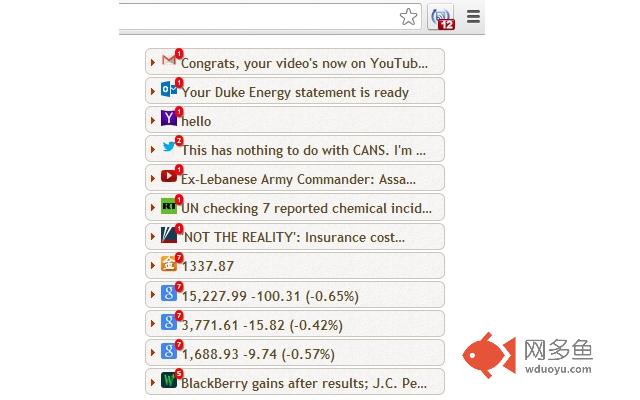
A badge number will be shown/updated on the extension icon once a new change is detected. The details of the change can be viewed in the popup window.
You can use it to track:
Headlines
Stock Quotes
Social Updates
New Emails
Deals
Weather Forecast
Scoreboard
Online Application Status
....
FAQ:
Q: How can I set the checking interval for a site?
A: To simplify the use of the extension, the interval setting is NOT exposed to the user. Instead, Update Notifier automatically calculates the interval internally for you based on the site's historical update records. The maximum checking interval is 5 minutes for all sites.
其他信息
官方唯一标识:oakibmhh****************jmfhllml
官方最后更新日期:2014年8月15日
分类:生产工具
大小:645KiB
版本:2.1.1.4
语言:English
提供方:none
星级:3.2
插件下载
| 下载链接一 下载链接二 |
| Chrome插件离线安装教程 |
温馨提示
本站中的部份内容来源网络和网友发布,纯属个人收集并供大家交流学习参考之用,版权归版权原作者所有。
如果您发现网站上有侵犯您的知识产权的作品,请与我们取得联系,我们会及时修改或删除。
如果您觉得网多鱼对您有帮助,欢迎收藏我们 Ctrl+D。