Copy That!
插件截图
插件概述
Share Data插件详情
Ever wondered how to easily transfer URL or any string between your desktop and mobile devices and vice versa? CopyThat solves this problem. Follow below steps.Pre-Requisites:
1. Add CopyThat plugin to Chrome
2. Download CopyThat app from Google Play Store
Steps:
1. Download and install CopyThat! in your android device from https://play.google.com/store/apps/details?id=com.debauk.CopyThat
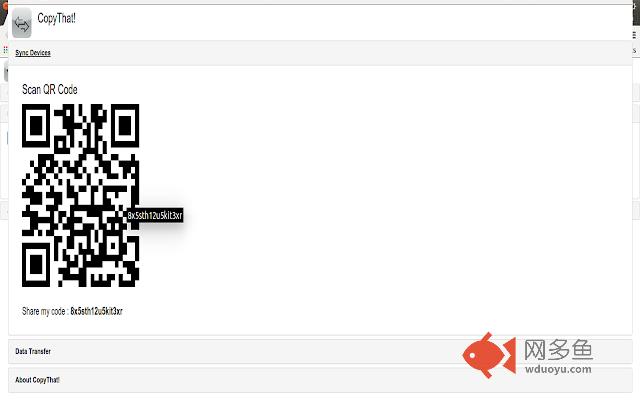
2. Expand sync devices in Chrome
3. Open the app in android and click on pair device. Scan the barcode and you should see device sync information on both chrome plugin and android app. You are all set for data transfers.
4. You can start sending current opened tabs URL. Select any tab from dropdown and url will be sent to Android device.
5. You can also copy any data into clipboard(CTRL+C) and click on cliboard button.
6. Present file transfer size limit has been set to 8MB. However we are working on unlimited size peer to peer file transfer with options to pause, resume and cancel.
7. Similarly clipboard content and file can be transferred from Android device to Desktop(via chrome plugin).
For any queries or information please reach us at copythat@debauk.com.
其他信息
官方唯一标识:peggabdm****************jjkhdcfn
官方最后更新日期:2015年9月17日
分类:生产工具
大小:678KiB
版本:0.1.4
语言:English (United States)
提供方:debauk.com
星级:5
插件下载
| 下载链接一 下载链接二 |
| Chrome插件离线安装教程 |
温馨提示
本站中的部份内容来源网络和网友发布,纯属个人收集并供大家交流学习参考之用,版权归版权原作者所有。
如果您发现网站上有侵犯您的知识产权的作品,请与我们取得联系,我们会及时修改或删除。
如果您觉得网多鱼对您有帮助,欢迎收藏我们 Ctrl+D。