Style Me
插件截图
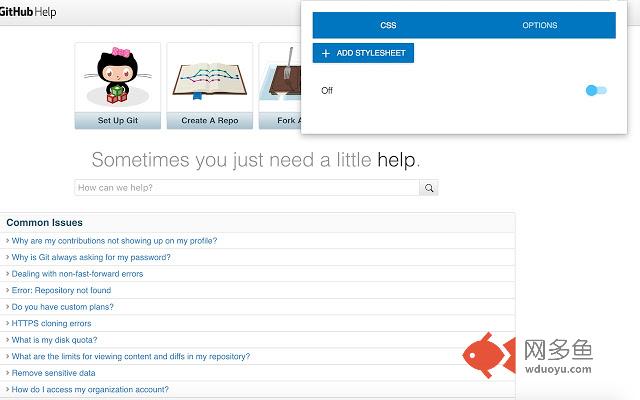
插件概述
Simple extension to inject custom styles on page.插件详情
Style Me is a chrome extension for adding any hosted css files into webpage.Features:
- Inject multiple stylesheets into webpage.
- Disable any existing original stylesheet.
- Enable/disable stylesheets injection.
- Auto update of injected stylesheets with specified frequency.
- Manual update of injected stylesheets by pressing key combination (Shift + R)
Use cases:
- SPA development. Inject any number of stylesheets you are working with by specifying their source paths (i.e. http://localhost://myApp/styles/compiled.css) and enabling "Auto update" option with specified frequency.
- Correct styles that you don't like on any webpage by overriding them or providing new rules in your own stylesheet. Just share such file for example over dropbox and specify src to the raw file (just add &raw=1 to the shared link, e.g. https://www.dropbox.com/s/xxxxxx/my-css-file.css?dl=0&raw=1)
*Note: it takes some time depending on your internet connection to load and apply your styles into webpage. For development just use any local server so your files will load immediately.
Usage note:
Once you have installed extension - just reload your pages you want to modify to make app button become activated.
其他信息
官方唯一标识:ihhjaipa****************njbolkbh
官方最后更新日期:2016年6月2日
分类:开发者工具
大小:650KiB
版本:2.0.4
语言:English
提供方:none
星级:5
插件下载
| 下载链接一 下载链接二 |
| Chrome插件离线安装教程 |
温馨提示
本站中的部份内容来源网络和网友发布,纯属个人收集并供大家交流学习参考之用,版权归版权原作者所有。
如果您发现网站上有侵犯您的知识产权的作品,请与我们取得联系,我们会及时修改或删除。
如果您觉得网多鱼对您有帮助,欢迎收藏我们 Ctrl+D。