Resolution Test
插件截图
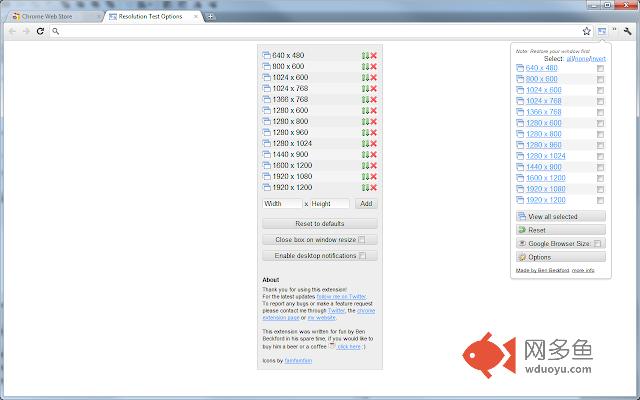
插件概述
An extension for developers to test web pages in different screen resolutions, with an option to define your own resolutions插件详情
**Now with options**For Changelog visit website - http://www.benbeckford.com/blog/2009/11/29/chrome-extension-resolution-test.html
Resolution Test changes the size of the browser window for developers to preview their websites in different screen resolutions. It includes a list of commonly used resolutions and the ability to customise that list.
This extension was written in my spare time, if you would like to support its development you can buy me a coffee or donate any amount using this link - http://bit.ly/ResBeer - thanks in advance :)
==========================================
How to use:
1. Restore your window (un-maximize it)
2. Click the resolution test icon in the top right of your browser window
3. Choose a single resolution, or select multiple resolutions and press "View all selected".
4. Your window will be resized
其他信息
官方唯一标识:idhfcdbh****************accidbal
官方最后更新日期:2017年10月27日
分类:开发者工具
大小:116KiB
版本:2.6
语言:English
提供方:www.benbeckford.com
星级:4.3
插件下载
| 下载链接一 下载链接二 |
| Chrome插件离线安装教程 |
温馨提示
本站中的部份内容来源网络和网友发布,纯属个人收集并供大家交流学习参考之用,版权归版权原作者所有。
如果您发现网站上有侵犯您的知识产权的作品,请与我们取得联系,我们会及时修改或删除。
如果您觉得网多鱼对您有帮助,欢迎收藏我们 Ctrl+D。