ProtoTool (CSS auto refresh, design overlay)
插件截图
插件概述
Front-end development tool. Auto css file refresh without page reloading, dedicated pixel perfect mode with mock-up overlay.插件详情
Tired from refreshing your css? Project loading takes more, than changing css? Using SASS and want to reload file without real refresh? ProtoTool to the rescue!1. Auto reloads your CSS/SCSS files
2. Create pixel perfect layouts with "Pixel perfect mode"
3. Media query view
4. Grid line toggling (under development)
5. Difference mode
IMPORTANT notes:
1. By default plugin works on every page, then dev tools are turned on and docked to the RIGHT of the screen. If developer tools are docked to bottom - css will re-render only after mouseenter.
2. RECOMMENDED way to reload your css is:
a) go to chrome extensions, choose ProtoTool extension options: http://prntscr.com/4tnwz4
b) You will see dialog, where you have to enter your domain string. Let's say you have http://localhost.com, so you will have to enter localhost.com ONLY. Press Save options and thats it! http://prntscr.com/4tny5m . Remove options will remove WHOLE list of domains. In future versions, extension will have option to remove items by one.
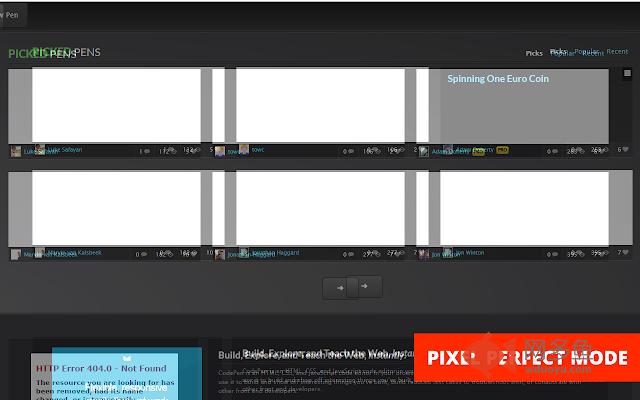
3. PIXEL PERFECT MODE. This is example of what you will achieve with this mode: http://prntscr.com/4tobkq (image is pushed to see difference)
a) copy website screenshot to your specific project directory (let's say you have website design saved in file "1.png", placed in "/mockups" folder relatively to project). Press SHIFT + 1, you will see control panel: http://prntscr.com/4to1ci
b) URL in prototype is relative URL in project, where you want to add your mockup overlay. "File path" is an mockup url, which will overlay your website. Let say, you have "http://proto.test/contact-us.html" and you want to overlay with image "http://proto.test/mockups/1.png", so your "URL in prototype" will be "/contact-us.html" (it's case sensitive) and "File path" will be "/mockups/1.png", then press "Assign URL with file". Refresh and press SHIFT + 1, wou will see overlay attached to your page. You can drag your image with mouse. Press "-" or "+" if you want to increase or decrease opacity while holding SHIFT button. SHIFT + 2 will enter difference mode.
If you have any feedback or questions - please email me:
Email: vaclovas.vicius@gmail.com
LinkedIn profile: https://www.linkedin.com/pub/vaclovas-vi%C4%8Dius/23/83b/822
其他信息
官方唯一标识:kobijmef****************npojebjd
官方最后更新日期:2014年10月13日
分类:开发者工具
大小:117KiB
版本:0.21
语言:English (United States)
提供方:none
星级:4.3
插件下载
| 下载链接一 下载链接二 |
| Chrome插件离线安装教程 |
温馨提示
本站中的部份内容来源网络和网友发布,纯属个人收集并供大家交流学习参考之用,版权归版权原作者所有。
如果您发现网站上有侵犯您的知识产权的作品,请与我们取得联系,我们会及时修改或删除。
如果您觉得网多鱼对您有帮助,欢迎收藏我们 Ctrl+D。