iPaste Extension
插件截图
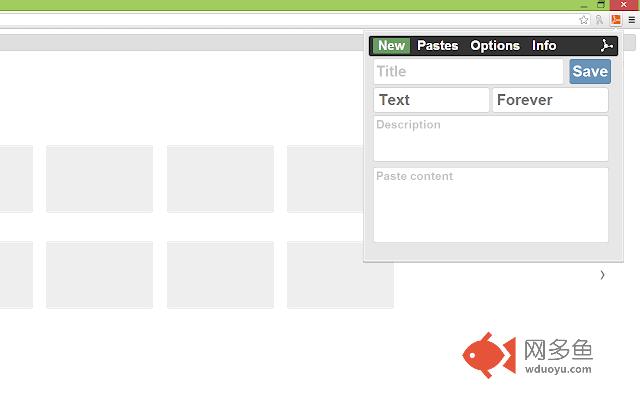
插件概述
Store, synchronize, explore and manage your code snippets and notes easily and quickly (a pastebin like extention)插件详情
iPaste is a Chrome Extension which allows you to store,synchronize and manage quickly and easily code snippets or notes.
---------------------------------------------------
Main features:
---------------------------------------------------
● quick paste code snippets
● code database manager
● download as PDF
● view as RAW (text format)
● syntax highlighter
● code snippets list synchronization between browsers
● search engine for searching in your code snippets database
● add code snippet through paste ID
● explore your code in a larger window :)
● filter source code alphabetically
● filter code snippets by syntax/category
---------------------------------------------------
It useful especially for keeping track of scripts that you use often. It allows you to create a small database of your code snippets.
iPaste provides the data synchronization service, which means that if you install the extension on another computer, it will retrieve automatically the source code saved on the previous machine, associated with your account Google Chrome.
This extension lets you to store quickly source code or any textual content locally and on ipaste.eu.
It provides also a fast access to your pastes list. Each paste can be viewed directly in the "Pastes" page of the extension or online.
It supports syntax highlighter function for many programming languages, markup languages and style sheet languages like:
● Java
● C#
● C
● C++
● PHP
● Python
● Ruby
● GML
● Visual Basic
● CSS
● HTML
● ...
iPaste Extension is a pastebin like extension.
其他信息
官方唯一标识:kpamemdm****************djpbpmeb
官方最后更新日期:2015年10月6日
分类:开发者工具
大小:49.47KiB
版本:3.0.6
语言:English
提供方:www.ipaste.eu
星级:3.6
插件下载
| 下载链接一 下载链接二 |
| Chrome插件离线安装教程 |
温馨提示
本站中的部份内容来源网络和网友发布,纯属个人收集并供大家交流学习参考之用,版权归版权原作者所有。
如果您发现网站上有侵犯您的知识产权的作品,请与我们取得联系,我们会及时修改或删除。
如果您觉得网多鱼对您有帮助,欢迎收藏我们 Ctrl+D。