Favicon Creator
插件截图
插件概述
Create a favicon for your website in seconds插件详情
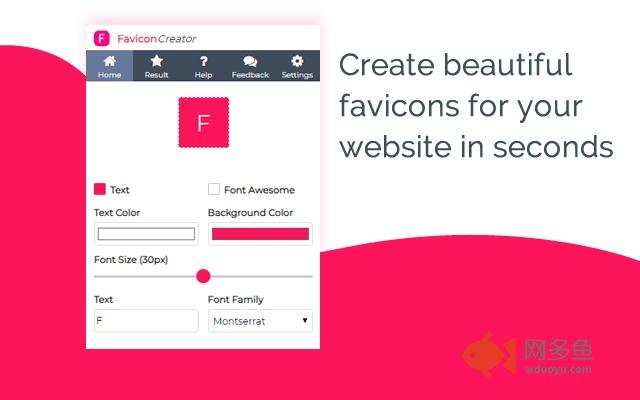
Building a website and need to add a favicon? With the Favicon Creator Chrome Extension, you can quickly create a professional looking favicon in seconds.- Use FontAwesome or Text to create a professional looking icon.
- Change background and text/ icon colors.
- Tweak your text sizes and styles.
- Download multiple sizes at once.
CHANGELOG
=================
25th Jan 2019
- You can now add a border to your Favicon - Slight scaling issues when downloading larger size favicons.
22nd Jan 2019
- Text and background design elements are now split into two tabs to create more room.
10th Jan 2019
- You can now change the border radius of your favicon. Slight scaling issues when downloading larger size favicons.
- 128 x 128 and 256 x 256 image sizes are now de-selected by default.
09th Jan 2018
- Added the ability to change the text styles:
1. Bold
2. Italic
3. Underline (only available for sizes 16, 32 & 64)
4. Line-through
07th Jan 2019
- Bug Fix: HTML Output sometimes displayed when re-opening the extension even if HTML wasn't checked.
- You can now click outside the FontAwesome menu to close the menu.
04th Jan 2019
- Favicon on your current tab will update to the favicon you are creating when you go to the download section.
03rd Jan 2019
- You can now clear your local storage via the Settings page
11th Dec 2018
- HTML output is now provided if selected, this will give you the correct HTML for the file size and type that is chosen
4th Dec 2018
- ReadMe.txt now added to the zip file when downloading your favicon (optional)
1st Dec 2018
- Dark theme has now been added - This is also stored in local storage
30th Nov 2018
- Selected file sizes are now stored in local storage
28th Nov 2018
- Ability to select different file types to download
- Selected file type is now stored in local storage
27th Nov 2018
- Ability to select what favicon sizes you wish to download
31st Oct 2018
- Bug fixes
- Published to beta testers on Chrome Store
29th Oct 2018
- Added Feedback page
- Added Settings page
28th Oct 2018
- Disabled automatic download when visiting the results section
- Fixed some issues when re-opening extension and FontAwesome was selected
其他信息
官方唯一标识:edaanjkn****************anbmggka
官方最后更新日期:2019年3月2日
分类:开发者工具
大小:102KiB
版本:1.0.0.9
语言:English
提供方:none
星级:5
插件下载
| 下载链接一 下载链接二 |
| Chrome插件离线安装教程 |
温馨提示
本站中的部份内容来源网络和网友发布,纯属个人收集并供大家交流学习参考之用,版权归版权原作者所有。
如果您发现网站上有侵犯您的知识产权的作品,请与我们取得联系,我们会及时修改或删除。
如果您觉得网多鱼对您有帮助,欢迎收藏我们 Ctrl+D。