Tab Slider
插件截图
插件概述
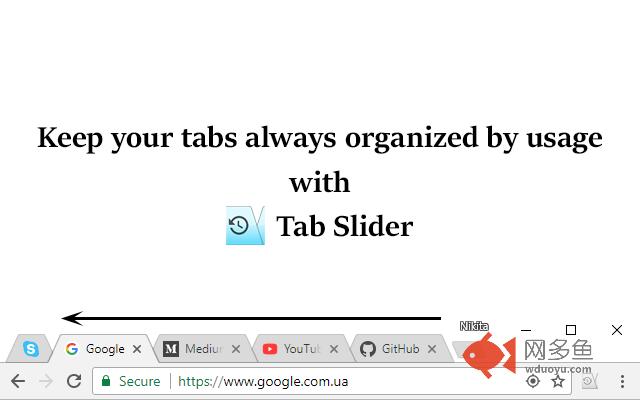
Keep your tabs ordered by their most recent usage.插件详情
This extension keeps browser tabs sorted in most recently used order (MRU), from left to right, just like a list of apps is organized on desktop OSes (while holding Alt+Tab). Tab Slider brings this behavior to Chrome browser for your convenience. Try it!How it works:
+ If you stay on tab more than 1 second (default), it will "slide" to the leftmost position;
+ In this way, most recently used tabs always stay left-to-right ordered;
+ Because of the order, naturally, when switching tabs with Ctrl+Tab, the browser will switch to the next most recently used tab;
+ Pinned tabs will slide to the opposite side, from left to right. This behavior is intended, enabling you to conveniently switch between most recently used pinned tabs and most recently used normal tabs with keyboard shortcuts (Ctrl+Shift+Tab switches to most recently used pinned tab, and Ctrl+Tab switches back to most recently used normal tab).
+ You can customize reordering delay in extension's settings;
+ New active tabs appear left immediately.
Once you understand this concept, you will find such reordering of tabs absolutely natural and logical.
其他信息
官方唯一标识:nobaaibk****************dllpogjp
官方最后更新日期:2017年12月24日
分类:辅助工具
大小:14.71KiB
版本:1.7
语言:English
提供方:none
星级:5
插件下载
| 下载链接一 下载链接二 |
| Chrome插件离线安装教程 |
温馨提示
本站中的部份内容来源网络和网友发布,纯属个人收集并供大家交流学习参考之用,版权归版权原作者所有。
如果您发现网站上有侵犯您的知识产权的作品,请与我们取得联系,我们会及时修改或删除。
如果您觉得网多鱼对您有帮助,欢迎收藏我们 Ctrl+D。