ClaroRead Chrome
插件截图
插件概述
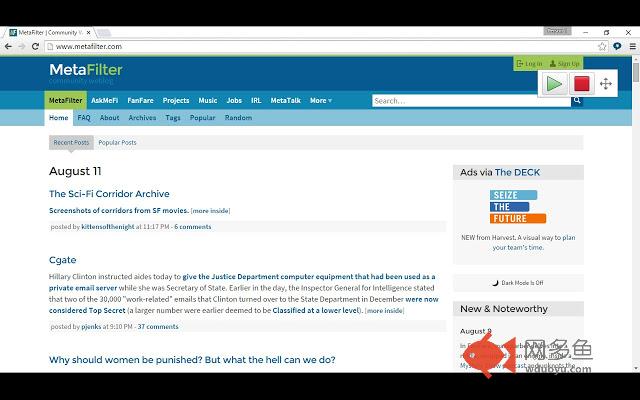
Speaks aloud text in web pages插件详情
Free extension with a few Premium features, see below.Speak any text on a website by selecting it, point with the mouse to hear text and links and captions, or click Play to hear sentences read out with highlighting to let you keep track of where you are.
Read Google Docs documents back to you so you can proof your work and fix any errors.
Speak accessible PDFs opened in Google Chrome with highlighting by clicking the Play button.
Hear letters, words or sentences spoken back as you type. Simply type in to web pages and hear what you type as you type it. For letters, hear the letter names or sounds spoken back to you, whichever helps you understand better.
Turn on a coloured overlay so pages are tinted to the colour you find easiest to read - no more glaring black on white text.
Change the speed of the spoken voice, slower for comprehension, faster for efficiency.
Activate word prediction to help you with writing and composition - find that elusive word you want. Now includes subject-specific prediction dictionaries and larger base dictionaries!
Read the contents of Google Docs extensions aloud so your support tools speak.
Select from English, Spanish, French, Italian, Japanese, Korean, or Chinese voices. Or use a selection of voices installed on your computer - just select the voice in your computer's settings.
PREMIUM FEATURES!
Upgrade to a Premium subscription and also gain:
● Scan from Screen, so you can select inaccessible images like Google Books and hear them read aloud.
● Spelling and Homophone checking in Google Docs, Microsoft Office 365 Word Online and other editable text areas.
● Speech Recognition. Enter text in to documents and text areas of web pages through dictation.
● Reading with highlighting in Microsoft Office 365 Word.
● More online text-to-speech voices.
Subscriptions are available through In-App purchase for individuals or can be obtained with a Claro Site License.
From the developers of ClaroRead for Mac and Windows and the ClaroSpeak and ClaroPDF Apps.
其他信息
官方唯一标识:ifgehbgl****************knmcmhcd
官方最后更新日期:2019年5月29日
分类:辅助工具
大小:22.52MiB
版本:19.1.1
语言:支持6种语言
提供方:none
星级:3
插件下载
| 下载链接一 下载链接二 |
| Chrome插件离线安装教程 |
温馨提示
本站中的部份内容来源网络和网友发布,纯属个人收集并供大家交流学习参考之用,版权归版权原作者所有。
如果您发现网站上有侵犯您的知识产权的作品,请与我们取得联系,我们会及时修改或删除。
如果您觉得网多鱼对您有帮助,欢迎收藏我们 Ctrl+D。