Bandicam Screen Recording
插件截图
插件概述
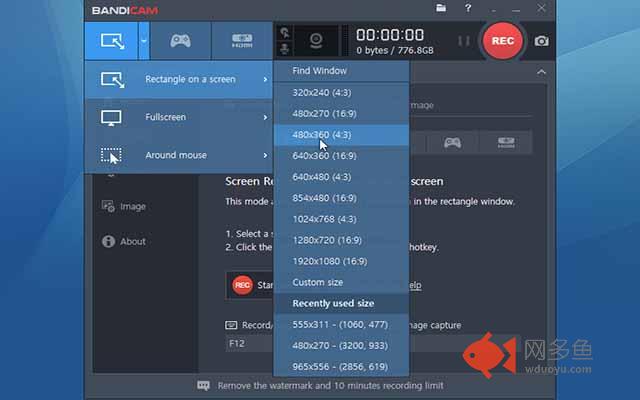
Bandicam is the most advanced screen recording software on the planet for screen, game and webcam capture.插件详情
Bandicam - an application with which you can record on video everything that happens on the computer screen. For example, you can record on the video the passage of a game, chatting in video chats or create video tutorials on the use of various programs. It is possible to record both the screen as a whole and individual rectangular areas, while the output will be small video files with good picture quality. The application supports AVI, MPEG-1, XviD and MJPEG formats, it is able to create screenshots (and a series of screenshots) and save them in JPEG, PNG and BMP formats.Compared with similar programs, Bandicam is much less demanding of system resources and allows you to create smaller video with decent picture quality. In addition, Bandicam can record high-resolution video (720p and 1080p) and is able to work day and night without any lags. The application supports hotkeys, allows you to customize the parameters of the saved video, can automatically record video of a certain size or duration and can automatically turn off the computer after the recording process.
其他信息
官方唯一标识:jdoedohe****************jjjpilga
官方最后更新日期:2019年3月8日
分类:辅助工具
大小:21.67KiB
版本:1.0
语言:English
提供方:none
星级:1
插件下载
| 下载链接一 下载链接二 |
| Chrome插件离线安装教程 |
温馨提示
本站中的部份内容来源网络和网友发布,纯属个人收集并供大家交流学习参考之用,版权归版权原作者所有。
如果您发现网站上有侵犯您的知识产权的作品,请与我们取得联系,我们会及时修改或删除。
如果您觉得网多鱼对您有帮助,欢迎收藏我们 Ctrl+D。