Search in Salesforce NEW
插件截图
插件概述
Quickly search for highlighted text in Salesforce via right-click插件详情
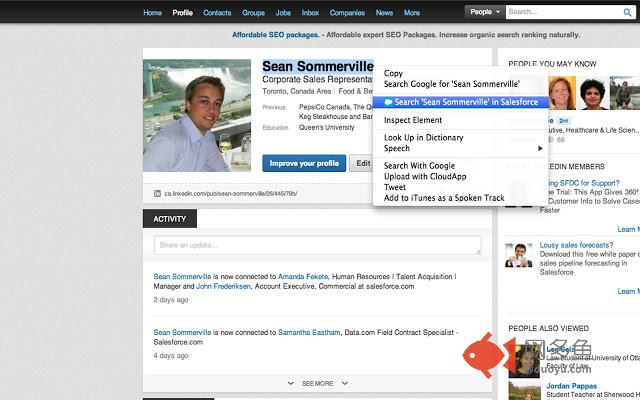
Quickly search for highlighted text in Salesforce via right-clickTired of highlighting text, right clicking to copy, scrolling up to Salesforce Global Search Bar, pasting that text, hitting enter? Well I was at least.
With this extension you can:
Quickly search for highlighted text on Salesforce via the right-click. All you have to do is...
1) Highlight the text you want to search
2) Right-click
3) Select "Search in Salesforce"
This will then open a new tab with the results from the Salesforce search.
NOTES:
This will only work for users within the NA1 Org!
Not an official Salesforce.com product
其他信息
官方唯一标识:ejfbgnfo****************glekcebm
官方最后更新日期:2013年6月25日
分类:搜索工具
大小:5.95KiB
版本:0.4
语言:English
提供方:none
星级:3.3
插件下载
| 下载链接一 下载链接二 |
| Chrome插件离线安装教程 |
温馨提示
本站中的部份内容来源网络和网友发布,纯属个人收集并供大家交流学习参考之用,版权归版权原作者所有。
如果您发现网站上有侵犯您的知识产权的作品,请与我们取得联系,我们会及时修改或删除。
如果您觉得网多鱼对您有帮助,欢迎收藏我们 Ctrl+D。