Holmes
插件截图
插件概述
Chrome Bookmark Search Extension插件详情
Got bunch of bookmarks in Chrome? Never find the bookmark you're looking for?Holmes is here to search for your bookmarks!
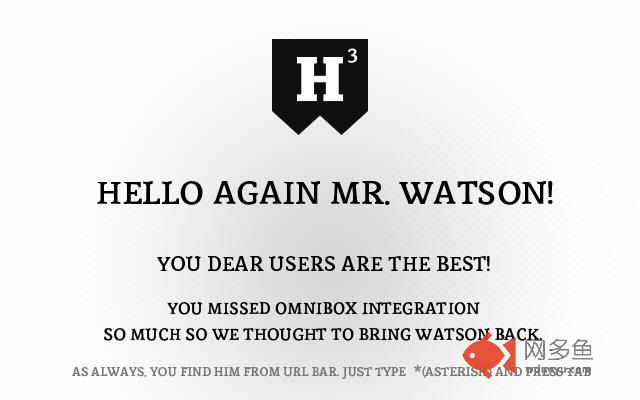
Omnibox integration is back!
You users missed Watson so bad so we thought to bring him back! And he is faster than ever!
As always, you find him from url bar. Just type * and press tab and you're ready to search!
Holmes also activates by keyboard shortcut! Press Alt+Shift+H and you're ready to go! You can always change the shortcut for your liking. Go to Chrome Menu > Tools > Extensions. Scroll down to bottom, press "Keyboard shortcuts" link and add custom shortcut to Holmes!
** NEW in version 3 **
* Completely rewritten search engine
* Shortcut Alt+Shift+H added!
* 10 results are shown
* No settings
* Bookmarklets are removed by default
* Much cleaner, hassle free look
** Version info **
v.3.3.0
* Holmes now autofocus input field by default
v.3.2.1
* "NEW" label bug fixed
v.3.2
* Fuzzy search implemented both Holmes and Watson - big thanks to krisk's Fuse library -> https://github.com/krisk/Fuse
v.3.1.7
* Fixed omnibox bug when only one result opens bookmark in Google search
* Fixed Holmes input autofocus
v.3.1.6
* Holmes website link added to extension
v.3.1.5
* Default shortcut wasn't working! Now it does!
* Added guide to change default shortcut. See top of this text for more info.
v.3.1.4
* When bookmark was added or removed Holmes didn't recognize the changes. Now fixed.
v.3.1.3
* Minor bug tackled
v.3.1
* Omnibox integration rewrited from ground up!
v.3.0
* Completely rewritten search engine
* Shortcut Alt+Shift+H added!
* Only 10 results are shown
* No settings
* Bookmarklets are removed by default
* No omnibox integration anymore
* Much cleaner, hassle free look
v.2.2.2
*Blog link removed from the start.
v.2.2.1
*FIXED a bug from clicking bullet page navigation. Now it works properly.
v.2.2
Welcome message changed.
v.2.1.1
Compatibility update for the upcoming browser versions
v.2.1
*NEW Showing info when Holmes is upgraded to higher version
*NEW Logo updated...again :)
* Minor UI changes.
v.2.0
*NEW - Watson, the Omnibox search integration
- Type asterisk(*) and press tab in url bar
*NEW - Logo typography change
v.1.2
* NEW - Added keyword "new:".
* Smallest icon redesign
* Minor fixes.
v. 1.1
* NEW - Options added. Toggle from seach field right corner.
* Remove bookmarklets from search (bookmarks that starts with 'javascript:').
* Save last state. Continue from last point.
* UI improvements. Maven Pro from Google Fonts are loaded as main font.
* Matched search string is higlighted in results as red.
* History search is depracated. Chrome has so nice history search so this is not a needed feature. Let's focus on bookmarks!
v.1.0.1
* Ctrl+D is deprecated. Preventing Windows users to create bookmark by pressing the combination.
v.1.0
* Initial release
其他信息
官方唯一标识:gokficne****************hdbchbhn
官方最后更新日期:2018年1月28日
分类:搜索工具
大小:561KiB
版本:3.3.1
语言:English
提供方:www.blackfish.fi
星级:4.5
插件下载
| 下载链接一 下载链接二 |
| Chrome插件离线安装教程 |
温馨提示
本站中的部份内容来源网络和网友发布,纯属个人收集并供大家交流学习参考之用,版权归版权原作者所有。
如果您发现网站上有侵犯您的知识产权的作品,请与我们取得联系,我们会及时修改或删除。
如果您觉得网多鱼对您有帮助,欢迎收藏我们 Ctrl+D。