Zoho CRM for Gmail & Inbox
插件截图
插件概述
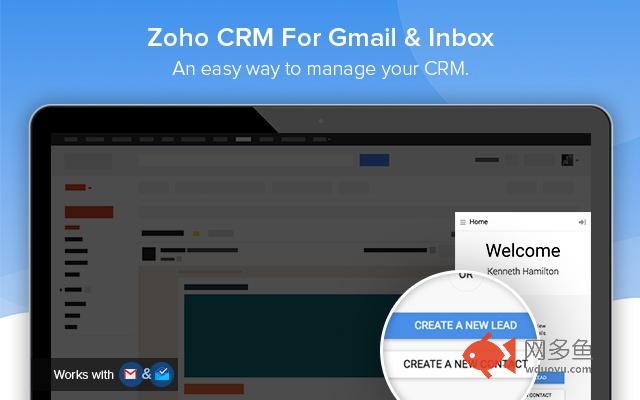
A quick way to manage and add leads, contacts to Zoho CRM from Gmail & Inbox.插件详情
A quick and easy way to add leads, contacts to Zoho CRM from Gmail.Highlights:
Create new leads and contacts right from Gmail.
See complete lead/contact detail when you open a mail.
Add tasks, events, log calls for a customer.
Create deals and notes for instant update.
FREE extension; no credit card required.
Installs in seconds, easy to use.
-Manage your Zoho CRM from Gmail.
Why switch windows when you can manage your CRM from Gmail? Zoho CRM for GMail shows you a complete customer profile immediately upon opening an email from the customer. Instantly view customers’ contact information without opening Zoho CRM. You can create new Contacts and Leads, and log calls, add tasks, events, allowing you to keep better track of prospective deals and customers.
-Keep track of all your information.
Convert leads to contacts, add, edit and delete notes, events, tasks, log calls using this powerful extension. It's easy to use interface helps you see all the information when you need it.
-Make the most out of your CRM investment.
Increase your ROI by entering timely and accurate information about your leads and contacts in your CRM system. Create tasks and notes to keep your CRM always updated.
其他信息
官方唯一标识:ojhlgneh****************ellkjgch
官方最后更新日期:2019年6月21日
分类:生产工具
大小:1.56MiB
版本:1.0.1.21
语言:支持21种语言
提供方:https://zoho.com
星级:4.3
插件下载
| 下载链接一 下载链接二 |
| Chrome插件离线安装教程 |
温馨提示
本站中的部份内容来源网络和网友发布,纯属个人收集并供大家交流学习参考之用,版权归版权原作者所有。
如果您发现网站上有侵犯您的知识产权的作品,请与我们取得联系,我们会及时修改或删除。
如果您觉得网多鱼对您有帮助,欢迎收藏我们 Ctrl+D。