Settings Button
插件截图
插件概述
A shortcut to Chrome settings page插件详情
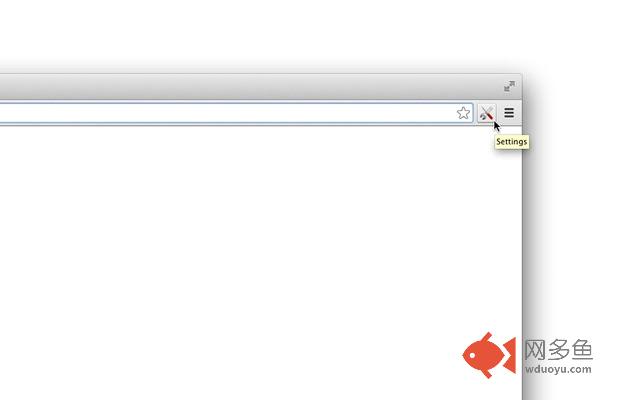
This is just a shortcut to Chrome Settings, nothing more.When installed, it will add Settings icon to your browser's toolbar.
Click the settings icon and you'll open Chrome settings page.
And that's all this "extension" does...
(There are, however, some settings for the extension itself that you may wih to check: you can set the button to open the settings panel in new tab or in the current tab and, if you want, you can add it to the context menu.)
**Questions & Answers**
Why adding separate extension for something that needs only two clicks in the menu?
-- Because with the settings button in the toolbar you’ll do it in one click, which is 50% faster :)
But extensions eat system memory, isn’t it stupid to waste resources just for quick shortcut to the settings page?
-- This extension doesn’t “eat” memory. In technical words, it uses non-persistent background page, which means chrome doesn’t need to reserve memory for the settings button (check the Chrome Task Manager if you don’t trust us: when you click on the settings icon it will start the extension, open the settings page and remove it quickly after that)
Why not just use a simple bookmark to the settings page instead of installing separate extension?
-- You could, but you’ll need more clicks to access the bookmark from the menu or you’ll need to have the bookmarks bar open. For people like me the bookmarks bar is not a good choice (it takes from the vertical space of the browser) and the toolbar icon is more convinient.
If I install it, is it easy to remove the extension if I don’t like it?
-- Yes, you can remove it with literally two clicks (just right-click on the settings button and select “Remove from Chrome”)
How to access the options page?
-- Right-click on the settings icon and select “Options”.
How to open the settings page in the current tab instead of opening new tab?
-- Right-click on the extension’s icon and select “Options”, then uncheck the first checkbox
How to add settings shortcut to the context menu?
-- Go to the options page (see above) and check the respective checkbox (“Add settings button to context menu”)
How to change the settings icon?
-- Currently you can’t, but in the next version (coming soon) we’ll add this functionality
Is it possible to add the settings button to chrome apps page?
-- Currently you can, but in future it will be possible only on Chrome OS devices. To do that just install our Settings Button app (copy the link below and paste it in new tab):
https://chrome.google.com/webstore/detail/settings-button/eknfjkldccfacljdbofdodpiodfhcfkp?hl=en-US&gl=BG
Do you have more shortcuts like Settings Button?
-- Definitely, see the links below
**Settings Button -- Version History**
ver.2.0 – Added options (context menu support)
ver.1.0 – Initial Release
**More toolbar shortcuts**
(These are like this settings button, but for different Chrome pages)
Downloads Button:
https://chrome.google.com/webstore/detail/downloads-button/kmeimggcacadlbnpfccpndimcapidlcl
History Button:
https://chrome.google.com/webstore/detail/history/kakmedkloohedkbmmgchndgichbdndng
Shortcut to Bookmarks:
https://chrome.google.com/webstore/detail/bookmarks/ogpfecfneobbmjefimpeomoeloahjmcm?utm_source=chrome-ntp-icon
Extensions:
https://chrome.google.com/webstore/detail/extensions/lmjcdccmhfohhffdhmleihkcgefgnghb?utm_source=chrome-ntp-icon
Plugins:
https://chrome.google.com/webstore/detail/plugins/mmcblfncjaclajmegihojiekebofjcen
Shortcut to Chrome Apps page:
https://chrome.google.com/webstore/detail/apps-button/ccaamabfdfcoealabklkkjohkhgomhmo?utm_source=chrome-ntp-icon
**More from the settings button author**
• Images On/Off – disable images per given host:
https://chrome.google.com/webstore/detail/images-onoff/nfmlhilnjccdggifdbhnhkffmjgalbgg?hl=en&gl=001
• Disable Cookies – turn off cookies for the current site:
https://chrome.google.com/webstore/detail/disable-cookies/lkmjmficaoifggpfapbffkggecbleang
• SingleClick Cleaner – cleanup Chrome in one single click:
https://chrome.google.com/webstore/detail/singleclick-cleaner/cknijndocnnlkpenngcdcpleddlmckkm
• Merge Windows – join all browser windows into one single window:
https://chrome.google.com/webstore/detail/merge-windows/mmpokgfcmbkfdeibafoafkiijdbfblfg?hl=en&gl=001
• Scroll to Top – just an alternative of your keyboard's "Home" button:
https://chrome.google.com/webstore/detail/scroll-to-top/khnloieeghjghmpjeaopaenibbneljpk
• Motivational New Tab – Replace default New Tab with motivational quote & beautiful picture:
https://chrome.google.com/webstore/detail/motivational-new-tab/colhedmdicjkpcamhdmhelahipgceneb
Read more about this settings button extension and our other apps and extensions at: www.singleclickapps.com
其他信息
官方唯一标识:djnjlcdd****************eekmgdce
官方最后更新日期:2017年11月23日
分类:生产工具
大小:26.1KiB
版本:2.0.0.1
语言:English
提供方:https://singleclickapps.com
星级:4.6
插件下载
| 下载链接一 下载链接二 |
| Chrome插件离线安装教程 |
温馨提示
本站中的部份内容来源网络和网友发布,纯属个人收集并供大家交流学习参考之用,版权归版权原作者所有。
如果您发现网站上有侵犯您的知识产权的作品,请与我们取得联系,我们会及时修改或删除。
如果您觉得网多鱼对您有帮助,欢迎收藏我们 Ctrl+D。