Scrum for Zoho
插件截图
插件概述
Adds Scrum to your Zoho插件详情
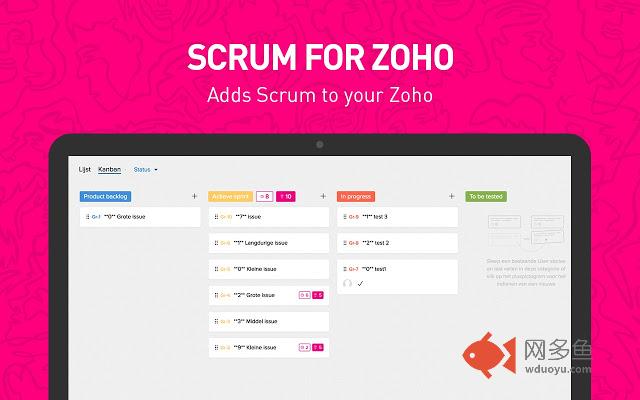
Adds Estimated points to your Zoho Kanban boardWith Scrum for Zoho, working with the Scrum workflow in Zoho has never been easier!
When working with User Stories or bugs within the bugtracker, you can add story points or estimated hours to your tickets.
Each column will get it's own point total and a grand total of all points in the Kanban view will be displayed.
Getting started
- To add an estimate to a card, first click a card to open it
- Click the title of the card to "edit" the title.
- Once the Card title is in edit-mode, you will able to see two rows with figures.
The top row contains numbers you can choose from (fibonacci sequence).
The bottom row can be used for hours.
Click one of the buttons to set that as the estimate.
- It is also possible to enter points or hours manually by inserting a code in the title.
Example if you want to add three story points, simply add (3) to the title.
Example if you want to add three hours, add (3h) to the title.
Estimated hours and points can be used simultaneously
For this extension the following applications are required:
- Zoho projects
- Zoho Bugtracker (included in projects)
Changelog:
2.0:
- Possibility to not only add story points to your stories, but also specific hours.
- Updated for the new Zoho Projects UI.
2.1:
- Removed unnecessary permissions.
2.3:
- Support for the new Zoho Kanban board layout.
2.4:
- Fixed issue with continuous adding of points and hours due to layout change of Zoho Kanban board.
Todo:
Include options in the extension
- option to turn off hours or points view
==============================
Scrum for Zoho was created by Amazing Mixed Media Minds | online@amazing.nl
其他信息
官方唯一标识:ailccpno****************aeldpokl
官方最后更新日期:2018年1月5日
分类:生产工具
大小:121KiB
版本:2.4
语言:English
提供方:none
星级:5
插件下载
| 下载链接一 下载链接二 |
| Chrome插件离线安装教程 |
温馨提示
本站中的部份内容来源网络和网友发布,纯属个人收集并供大家交流学习参考之用,版权归版权原作者所有。
如果您发现网站上有侵犯您的知识产权的作品,请与我们取得联系,我们会及时修改或删除。
如果您觉得网多鱼对您有帮助,欢迎收藏我们 Ctrl+D。