NavigUp
插件截图
插件概述
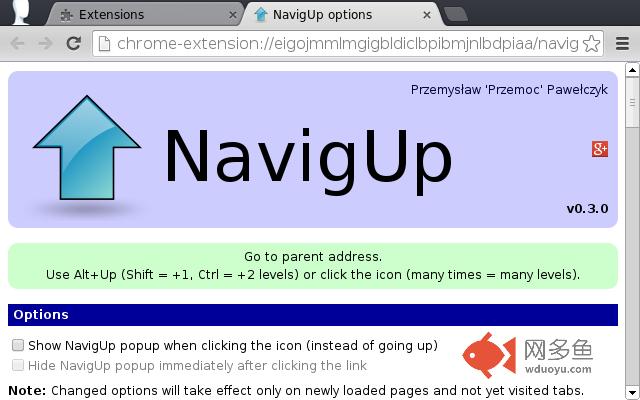
Go to parent address. Use Alt+Up (Shift = +1, Ctrl = +2 levels) or click the icon (many times = many levels).插件详情
Navigate to parent address. It means removing page anchor (#xxx), query string (?xxx), file or the last directory (/xxx), port number (:xxx), sub-domain (xxx.) or secure layer (https -> http), whichever is first found (preserving mentioned order).You can use the mouse and click NavigUp's icon (present on the right side of the address bar) or go with the keyboard and press one of the supported shortcuts.
== Shortcuts ==
Use (Ctrl+)(Shift+)Alt+Up for it. Shift means going up one more level, Ctrl - additional two levels. Ctrl and Shift can be combined. If you click extension's icon (in the address bar) many times within one third of second, then you'll go up many levels at once.
== Permissions ==
1. "Access your data on all websites."
(content script executed when URL matches "http://*/*", "https://*/*", "ftp://*/*")
Content script is used only for catching keyboard shortcuts (commands API doesn't support Ctrl+Alt combinations) and setting up a popup (if it is turned on).
2. "Access your tabs and browsing activity."
("tabs" permission)
"tabs" permission is a broad one, but it is used only for accessing or modifying particular tab's URL within background page.
== File scheme ==
If you install NavigUp from Chrome Web Store, then it's not supported. However, some users browse occasionally local file system using Chrome to load some files. NavigUp is also very useful in this case, but setting content script to match also file: addresses gives you following message during installation: "This extension will have full access to your computer and private data." File scheme is supported only in the version hosted at my website.
== Changed name ==
Older version of this extension was called "GoUp". I came up with this name and I liked it, because it was the simplest self-explanatory title. I published the extension in November 2009 on my site and chromeextensions.org. Back then, as a Uppity user, I wasn't aware of the another Firefox add-on doing same job. That add-on is called Go Up. I don't like reusing already existing names, especially by similar projects, so decision about renaming was obvious solution for this unpleasant situation.
Later I also found out, that a few weeks after my announcement of GoUp, Christophe Benz created (according to his GitHub repository first commit was authored on December 11, 2009) "Go Up" extension (notice the space between Go and Up, so it’s the exact name of existing Firefox add-on). Thus I was even more convinced that changing name was the right thing.
== License ==
Extension's code is licensed under Affero GPL v3.
Icon is licensed under GPL v2.
== Credits ==
Icon is done by Marco Tessarotto and it's part of Ultimate Gnome icon theme.
https://sites.google.com/site/ultimate-gnome/
其他信息
官方唯一标识:eigojmml****************nlbdpiaa
官方最后更新日期:2013年9月11日
分类:生产工具
大小:51.63KiB
版本:0.4.0
语言:English
提供方:przemoc.net
星级:4.3
插件下载
| 下载链接一 下载链接二 |
| Chrome插件离线安装教程 |
温馨提示
本站中的部份内容来源网络和网友发布,纯属个人收集并供大家交流学习参考之用,版权归版权原作者所有。
如果您发现网站上有侵犯您的知识产权的作品,请与我们取得联系,我们会及时修改或删除。
如果您觉得网多鱼对您有帮助,欢迎收藏我们 Ctrl+D。