MyOperator Click to Call
插件截图
插件概述
MyOperator Click to Call插件详情
Use MyOperator's Click2Call feature to work more efficiently - directly call numbers displayed in your Chrome browser.You can now call numbers displayed on your web page using this extension without having to go to your MyOperator dashboard. You can work more efficiently and make calls from your CRM web page without having to copy-paste the number.
How it works?
1. Add this extension to your chrome browser
2. Sign in to your MyOperator account from https://app.myoperator.co/ or Create a MyOperator demo account from https://myoperator.co/
3. Go to any CRM that your use or website (say your prospective client's website) where phone number is given
4. MyOperator chrome extension will automatically detect phone numbers present on that page and add a MyOperator call icon beside these phone numbers
5. Press on Call button to make the call
You can also initiate calls from the extension popup itself without having to go to MyOperator Dashboard. Just click on the extension icon on the address bar, and type in the number that you want to call.
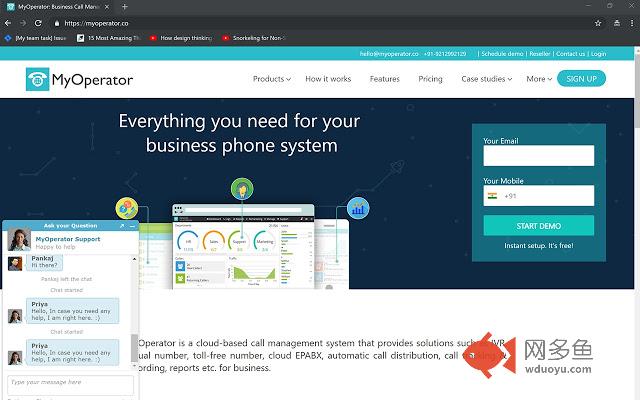
MyOperator is a cloud-based call management system that provides solutions such as IVR, virtual number, toll-free number, cloud EPABX, automatic call distribution, call tracking & recording, reports etc. for business.
PLEASE NOTE: You will need a MyOperator account to use this extension. For a free trial of MyOperator business phone system: https://myoperator.co
*Currently only serving Indian accounts.
其他信息
官方唯一标识:hnlocbgh****************dbipmnhd
官方最后更新日期:2019年3月5日
分类:生产工具
大小:335KiB
版本:0.13
语言:English
提供方:https://myoperator.co
星级:5
插件下载
| 下载链接一 下载链接二 |
| Chrome插件离线安装教程 |
温馨提示
本站中的部份内容来源网络和网友发布,纯属个人收集并供大家交流学习参考之用,版权归版权原作者所有。
如果您发现网站上有侵犯您的知识产权的作品,请与我们取得联系,我们会及时修改或删除。
如果您觉得网多鱼对您有帮助,欢迎收藏我们 Ctrl+D。