Markdown Anywhere
插件截图
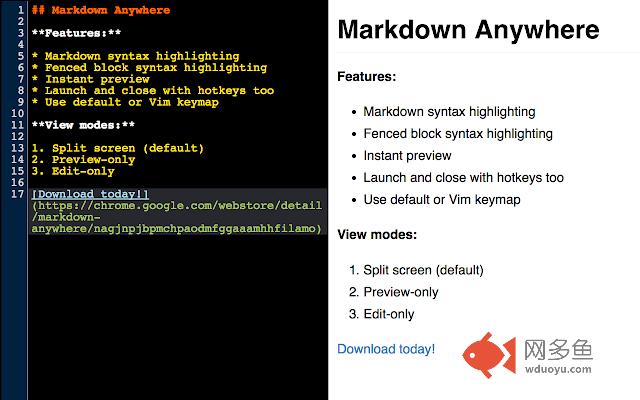
插件概述
Distraction-free Markdown editing for the web插件详情
This extension launches a full-page syntax-aware Markdown editor, with instant preview, for any plain textarea on the web. Default or Vim keymaps are supported.Usage: While on a page with a plain textarea, activate the editor with the browser button or Alt-Shift-H. When finished, hit the button or keyboard shortcut again. If you prefer vim, you can turn it on in Options. While in vim mode, :q or :wq will close the editor. You also always close the editor with the same keyboard shortcut you used to launch it. Hit the other keyboard shortcut (Alt-Shift-L) to toggle instant preview on and off.
Tip: You can change the keyboard shortcuts to whatever you want. See the "Keyboard Shortcuts" link at the bottom of your extensions list in Chrome.
Note: This extension is designed to work primarily with *plain* textareas that don't already have rich text editing capabilities. Using it on already-rich textareas, such as those found on Github, is not supported.
Attributions: The author would like to acknowledge the following artists for making their work available for public use:
* Demo video background music by bensound: http://www.bensound.com/
* Promo image background (modified), by scienceatlife: https://www.flickr.com/photos/scienceatlife/ licensed under https://creativecommons.org/licenses/by-nc-sa/2.0/
其他信息
官方唯一标识:nagjnpjb****************hhfilamo
官方最后更新日期:2019年3月5日
分类:生产工具
大小:731KiB
版本:1.7.0
语言:English (United States)
提供方:none
星级:5
插件下载
| 下载链接一 下载链接二 |
| Chrome插件离线安装教程 |
温馨提示
本站中的部份内容来源网络和网友发布,纯属个人收集并供大家交流学习参考之用,版权归版权原作者所有。
如果您发现网站上有侵犯您的知识产权的作品,请与我们取得联系,我们会及时修改或删除。
如果您觉得网多鱼对您有帮助,欢迎收藏我们 Ctrl+D。