HabitLab
插件截图
插件概述
Build better habits online! Tell HabitLab your goals, and it will determine the appropriate interventions via experimentation.插件详情
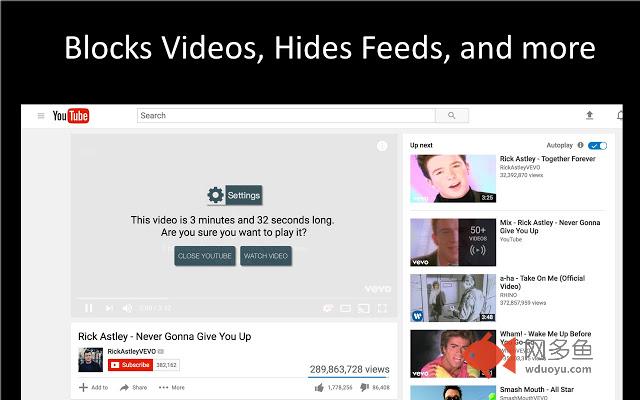
Spend less time on distracting sites like Facebook and Youtube with various tools like news feed blockers, comment hiders, and more; see which ones work best for you!HOW IT WORKS
Tell HabitLab which sites you want to spend less time on. We support most popular sites like Facebook, Youtube, Reddit, Buzzfeed, Netflix, etc - you can also add any site you want.
Each time you visit those sites, we will intelligently choose an intervention (which use techniques such as hiding your news feed, hiding comments, pausing videos) to help you reduce your time on the site. If you don’t like an intervention, you can choose to disable it.
HabitLab learns which interventions work best for you, and uses this to more effectively help you reduce your time online.
ABOUT
HabitLab is an open-source project developed by the Stanford HCI Group. You can find source code at https://github.com/habitlab/habitlab
PERMISSIONS
Chrome will ask you for the following permissions when you install. Here’s how we use them:
* “Read and Write Data on All Websites”: We need this permission to change the appearance of pages deploy interventions on the sites you choose to reduce your time spent on.
* “Show Notifications”: We use notifications to show you a daily progress summary on how you have been achieving your goals.
* “Browsing History”: We use your browsing history to determine how much time you’ve spent on sites in the past, so we can measure how much time you’ve been saving.
PRIVACY AND DATA
You can optionally help us improve HabitLab by sending us anonymized data about the effectiveness of interventions. You can opt-out of sharing any data when you first set up HabitLab. See https://github.com/habitlab/habitlab/wiki/Privacy
其他信息
官方唯一标识:obghcloc****************kedcpdgd
官方最后更新日期:2019年6月29日
分类:生产工具
大小:5.08MiB
版本:1.0.271
语言:支持5种语言
提供方:https://habitlab.stanford.edu
星级:4.6
插件下载
| 下载链接一 下载链接二 |
| Chrome插件离线安装教程 |
温馨提示
本站中的部份内容来源网络和网友发布,纯属个人收集并供大家交流学习参考之用,版权归版权原作者所有。
如果您发现网站上有侵犯您的知识产权的作品,请与我们取得联系,我们会及时修改或删除。
如果您觉得网多鱼对您有帮助,欢迎收藏我们 Ctrl+D。