Google Search Console Full Width View
插件截图
插件概述
View Google Search Console at full width插件详情
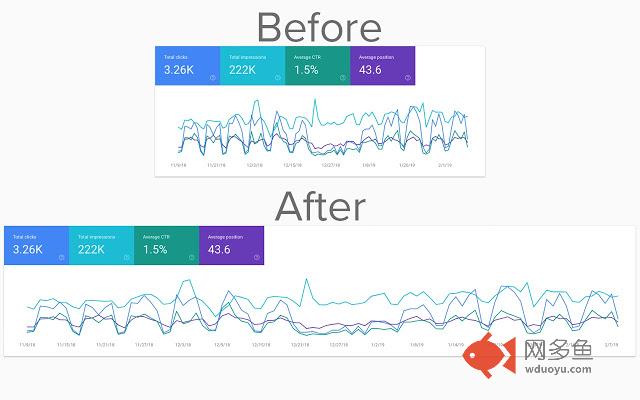
This extension adds a small code snippet to the new Google Search Console and displays the data tables and graphs right across the screen, meaning you can compare date ranges, clicks, impressions and more all at the same time without needing to scroll left and right to view each side of the table.The new Google Search Console design is great - it looks so much better than the old. But it's not perfect..
The new layout displays the data visualisations (in the "Performance" report, for example) in a boxed area that limits how much data you can see at one time - that's where GSC Full Width comes in.
The extension is extremely lightweight - under 6kb in total - and will not slow down page load times. It seamlessly modifies the layout in such a way that you won't even know it's there until you visit Search Console without the extension.
This is a must-have extension for anyone who uses Google Search Console frequently - especially if the new restricted layout frustrates you.
There are no bells and whistles, no options menus, no set up at all required - just install and go.
Extension created in partnership with Alpha Digital (https://alphadigital.com.au)
其他信息
官方唯一标识:eklcbfkf****************ofbnopdn
官方最后更新日期:2019年2月12日
分类:生产工具
大小:14.64KiB
版本:1.1.2
语言:English
提供方:https://separator.misq.co
星级:5
插件下载
| 下载链接一 下载链接二 |
| Chrome插件离线安装教程 |
温馨提示
本站中的部份内容来源网络和网友发布,纯属个人收集并供大家交流学习参考之用,版权归版权原作者所有。
如果您发现网站上有侵犯您的知识产权的作品,请与我们取得联系,我们会及时修改或删除。
如果您觉得网多鱼对您有帮助,欢迎收藏我们 Ctrl+D。