ElementHider
插件截图
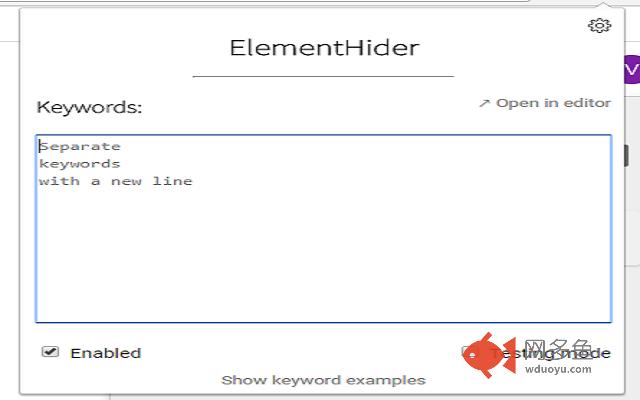
插件概述
Hides elements that contain keywords set by user插件详情
This extension is meant to be an easy and efficient way to hide web elements based on the text they contain.It hides for example twitter posts, news articles, facebook posts etc. if they contain a keyword set by you. You can also blur out the elements instead of hiding them completely. Blurred elements can be revealed with mouse hover.
By default keywords are case-sensitive but you can also set them case-insensitive and decide if the word should appear exactly as you've written it (e.g. CAT but not eduCATion).
The extension has a testing mode which highlights the elements with green borders instead of hiding them. Testing mode makes it easy to see the elements that are going to be hidden with the current keywords.
Although, this extension has been found to be working with a very high success rate, it is not fully guaranteed that it will hide every single element on every website with a keyword on it. This is mainly because every site is built differently and have different structure of elements which makes it hard to identify all of them 100% correctly. Feel free to leave feedback if you encounter any problems with the extension.
Extension uses jQuery (https://jquery.com/)
其他信息
官方唯一标识:jnbamiea****************poafhmie
官方最后更新日期:2017年9月21日
分类:生产工具
大小:157KiB
版本:0.2.18
语言:English
提供方:none
星级:4.6
插件下载
| 下载链接一 下载链接二 |
| Chrome插件离线安装教程 |
温馨提示
本站中的部份内容来源网络和网友发布,纯属个人收集并供大家交流学习参考之用,版权归版权原作者所有。
如果您发现网站上有侵犯您的知识产权的作品,请与我们取得联系,我们会及时修改或删除。
如果您觉得网多鱼对您有帮助,欢迎收藏我们 Ctrl+D。