Droplr - Screenshot, Annotate, & Screencast
插件截图
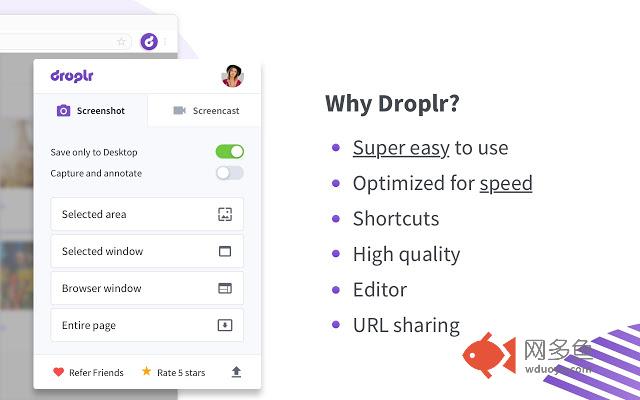
插件概述
Screen capture FULL webpage or any part of it. Take screenshots, annotations, screen recordings with audio narration.插件详情
Screen capture FULL webpage or any part of it. Take screenshots, annotations, screen recordings with audio narration all with Droplr for Chrome. Just take a screenshot or make an annotation and Droplr will copy a short link to clipboard that you can share your screenshot in chat, email, text, or anywhere. You can also manage all your images, create collections, view stats, customize your urls, and more through the Droplr dashboard."With an incredible feature set, active development, and a sustainable business model, Droplr is our favorite way to make simple annotations, and track links." - The Sweet Setup
How it Works
With Droplr, sharing screenshots is super simple. Just click on the extension icon and select how you want to share a screenshot. Your screenshot will be uploaded to your personal Droplr account in the cloud and a link to it will be copied to your clipboard. Paste the link anywhere to share. Manage all of your files online through the Droplr Dashboard or with your iOS device using Droplr Mobile.
Droplr Pro users get to keep their files forever, can customize download pages, and much more. Droplr Pro memberships are available at https://droplr.com.
Droplr is also available on Mac, iOS, and Windows.
"The Droplr web app is both beautiful and more functional than any other file sharing app I’ve ever used." - AppStorm
Droplr Free
• Capture, markup, and share screenshots
Droplr Enterprise
• No file-size or storage limits
• Team sharing
• Feedback and commenting
• Single-sign on
• Keep files forever
• Capture, markup, and share screenshots
• Capture and share screencasts as movies or animated GIFs
• Record and share reaction GIFs
• Customize download pages with your own logo
• Use your own custom domain for downloads
• Password-protect your files
• Embed Droplr files on your favorite blog, forum, or website
"Droplr is fast and light, the files you upload are searchable, the iPhone app is great, and the automatic addition of public links to your clipboard makes it perfect for quickly throwing a file to someone." - The Verge
其他信息
官方唯一标识:oncaapli****************pfemljhm
官方最后更新日期:2019年7月5日
分类:生产工具
大小:1.46MiB
版本:3.4.0
语言:支持16种语言
提供方:https://droplr.com
星级:4.1
插件下载
| 下载链接一 下载链接二 |
| Chrome插件离线安装教程 |
温馨提示
本站中的部份内容来源网络和网友发布,纯属个人收集并供大家交流学习参考之用,版权归版权原作者所有。
如果您发现网站上有侵犯您的知识产权的作品,请与我们取得联系,我们会及时修改或删除。
如果您觉得网多鱼对您有帮助,欢迎收藏我们 Ctrl+D。