Doodle Smart Scheduling
插件截图
插件概述
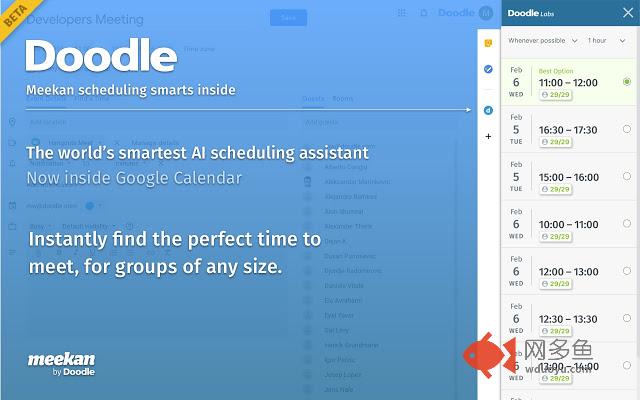
Doodle’s most powerful scheduling smarts directly inside Google Calendar插件详情
Doodle's Meekan matches everyone’s calendars in seconds, taking into consideration their available time, preferences and habits, and suggests the optimal time for your meeting.This Chrome Extension works in your familiar Google Calendar in a few easy steps:
1. Create a new event in Google Calendar, just as you’d normally do
2. Add your meeting guests
3. Click on the Doodle icon in the icon shelf on the right-hand side of the Event Detail view in Google Calendar
4. Now Meekan kicks in, and gives you tailored time suggestions that fit everyone.
5. Click on your favourite time option and save the event.
For meetings with a lot of guests, Meekan will still find the best option and let you know if someone can’t make it or if it’s rather inconvenient. If Meekan doesn’t have access to some of the guests’ calendars, it will still give suggestions with the information it has available, and offer you the chance to invite your guests to connect to Meekan.
To get the Meekan bot on Slack or Microsoft Teams, head over to www.meekan.com
Just want to chat? Drop us a line at support@meekan.com or send us any feedback to gcal-info@doodle.com.
其他信息
官方唯一标识:kajbnblh****************afjimpod
官方最后更新日期:2019年5月6日
分类:生产工具
大小:2.22MiB
版本:3.0.4
语言:支持2种语言
提供方:doodle.com
星级:5
插件下载
| 下载链接一 下载链接二 |
| Chrome插件离线安装教程 |
温馨提示
本站中的部份内容来源网络和网友发布,纯属个人收集并供大家交流学习参考之用,版权归版权原作者所有。
如果您发现网站上有侵犯您的知识产权的作品,请与我们取得联系,我们会及时修改或删除。
如果您觉得网多鱼对您有帮助,欢迎收藏我们 Ctrl+D。