Copy As Plain Text
插件截图
插件概述
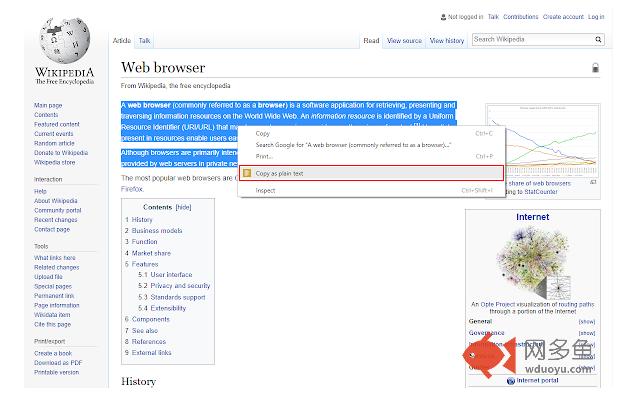
Easily copy the selected text without formatting to the clipboard via right-click menu.插件详情
Copy As Plain Text is a lite extension that let you easily copy any text without formatting to the clipboard via right-click context-menu item.Simply browse to a website and select a desired text, then right-click and select - Copy as plain text - from the context-menu. The selected text will be copied to the clipboard without any formatting.
Please note that, in order to paste to the clipboard you can use (Ctrl + V) or right-click and select - Paste - from the context-menu.
In order to report bugs, please fill the bug report form in the addon's homepage (http://mybrowseraddon.com/copy-as-plain-text.html).
其他信息
官方唯一标识:eneajgkm****************oaejmlpk
官方最后更新日期:2017年12月30日
分类:生产工具
大小:20.29KiB
版本:0.1.0
语言:English
提供方:none
星级:4.8
插件下载
| 下载链接一 下载链接二 |
| Chrome插件离线安装教程 |
温馨提示
本站中的部份内容来源网络和网友发布,纯属个人收集并供大家交流学习参考之用,版权归版权原作者所有。
如果您发现网站上有侵犯您的知识产权的作品,请与我们取得联系,我们会及时修改或删除。
如果您觉得网多鱼对您有帮助,欢迎收藏我们 Ctrl+D。