Autofill
插件截图
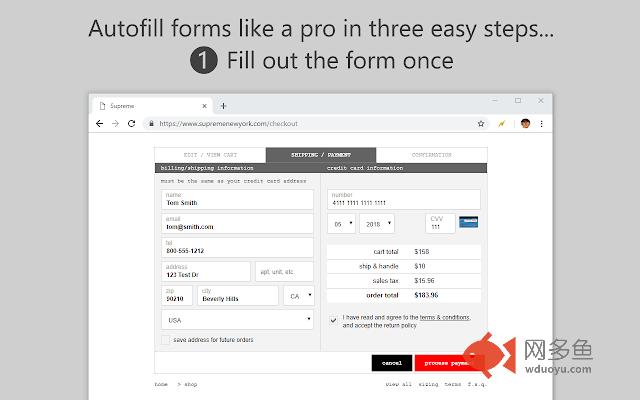
插件概述
进行表单填充。插件详情
The Autofill extension serves one purpose: fill form fields automatically on page load without any interaction from the user. This is its primary function, but it can do so much more. Google Chrome has a built-in autofill feature, but it doesn't work on all form fields and requires you to select from a drop-down menu. Even if you're happy with Chrome's Autofill, you may still need this extension if you want more automation and power at your fingertips.FEATURES
- Set and forget: fill out forms in ZERO clicks! (There's also a manual trigger option)
- Ultimate control: autofill text input fields, textarea fields, password fields, hidden fields, HTML5 inputs, and even WYSIWYG edit boxes (rich text editors); auto-select menus and listboxes; auto-check checkboxes and radio buttons; auto-click buttons and auto-submit forms using JavaScript
- Form fields wizard: use the wizard infobar to automatically generate autofill rules for you without having to look at the HTML code
- Easy to manage: create profiles to better organize your autofill rules
- Quick access: add autofill rules using the toolbar icon; execute all autofill rules in a profile and more through the right-click context menu
- Peace of mind: there's an option to automatically save text fields in case Chrome crashes
- Regular Expressions: use powerful text matching patterns to identify fields to autofill (supports 'lookbehind')
- Variables: use special variables to reference other field values, increment/decrement numbers, and output random data (numbers, alphanumeric characters, and even words from a set)
- Site filters: restrict Autofill on a per-site or per-page basis
- Exceptions: specify pages or entire websites to exclude from Autofill
- Import/Export: back up your settings to a local file or import them into the Autofill add-on for Firefox
- Keyboard shortcuts: use the mouse or the keyboard for improved accessibility
WHAT'S NEW
- Added option to automatically back up text fields
- Added ability to randomly select menus and toggle checkboxes
- Improved support for form validation
- Improved dynamically inserted elements observer
- Automatically enable context menu when in manual mode
- Fixed delay range input still disabled after importing
- Fixed manual mode not honored for dynamically inserted fields
- Fixed JavaScript error for some values containing line breaks
- Fixed import issue
- Fixed selected field highlighting issue
- Fixed site filters getting wiped when adding rules (v6.12.1)
PRIVACY & SECURITY
Autofill does not, has never, and will never transmit any data over the internet. All data remains on your local hard disk drive at all times. However, the data saved by this extension is NOT encrypted, so any data you save remains in the clear, although it will remain on your hard drive and only someone who knows where to look and has physical access to your hard drive would be able to access it.
其他信息
官方唯一标识:nlmmgnhg****************dkbbfkkk
官方最后更新日期:2018年10月30日
分类:生产工具
大小:294KiB
版本:9.5.6
语言:支持3种语言
提供方:tohodo.com
星级:3.9
插件下载
| 下载链接一 下载链接二 |
| Chrome插件离线安装教程 |
温馨提示
本站中的部份内容来源网络和网友发布,纯属个人收集并供大家交流学习参考之用,版权归版权原作者所有。
如果您发现网站上有侵犯您的知识产权的作品,请与我们取得联系,我们会及时修改或删除。
如果您觉得网多鱼对您有帮助,欢迎收藏我们 Ctrl+D。