AODocs - Smartbar for G Suite
插件截图
插件概述
Add AODocs features to Google Drive™, Docs™, Sheets™, Slides™ & Gmail™插件详情
The AODocs Smartbar extension brings AODocs features directly into your Google pages (Google Drive™, Google Docs™, Google Sheets™, Google Slides™ and GMail™).MAIN FEATURES:
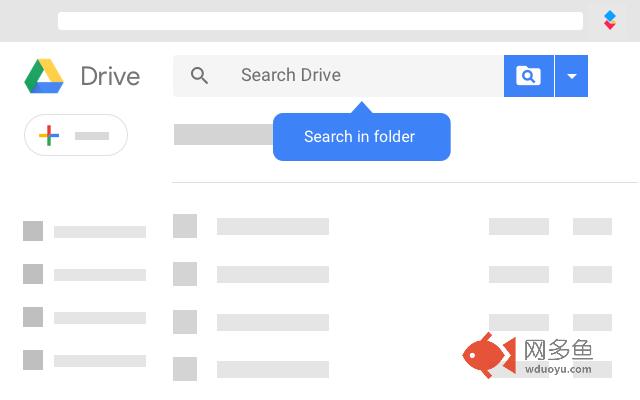
⚫ Search files in specific folders and sub-folders
⚫ Create or Open any Word/Excel/Powerpoint files (managed by AODocs or not) directly from Google Drive, edit them in your desktop Microsoft Office application, and save your changes directly to Google Drive in one click
⚫ Import files into AODocs
⚫ Create, Move, Rename, Copy, Delete AODocs files or folders
⚠ This extension requires AODocs to be installed on your G Suite domain. AODocs is available on the G Suite Marketplace and needs to be installed by a G Suite Administrator.
----------------------------------------------------------------
DOCUMENTATION:
https://support.aodocs.com/
----------------------------------------------------------------
WHAT IS AODocs?
AODocs turns your Google Drive into an enterprise file server.
MAIN FEATURES:
⚫ Centralized document ownership:
All the documents managed by AODocs are owned by a single system account, thus protecting the end users against accidental data loss (for example, when a user leaves the company)
⚫ Sharing permissions:
Create secure folders where only administrators can change the document sharing permissions and configure a whitelist of authorized external sharings (individual users or entire domains)
⚫ Push to My Drive:
Folders managed by AODocs are automatically “pushed” to the My Drive of users who have access to them.
No need to request the link from co-workers!
⚫ Advanced Document Management features, such as customer document properties, configurable workflows, version control, audit log
----------------------------------------------------------------
MORE ON AODocs:
https://www.aodocs.com
----------------------------------------------------------------
PERMISSIONS AND PRIVACY:
⚫ The AODocs Smartbar requires a set of permissions to be able to interact with your Google Drive and AODocs Web pages. Here's what the permissions are used for:
https://goo.gl/vmDpvK
⚫ We are dedicated to protecting your privacy and using your data responsibly. For more info, check out our privacy policy:
https://www.aodocs.com/privacy-policy/
其他信息
官方唯一标识:aikbehoj****************igfdnepa
官方最后更新日期:2019年6月3日
分类:生产工具
大小:457KiB
版本:12.0
语言:支持5种语言
提供方:aodocs.com
星级:4
插件下载
| 下载链接一 下载链接二 |
| Chrome插件离线安装教程 |
温馨提示
本站中的部份内容来源网络和网友发布,纯属个人收集并供大家交流学习参考之用,版权归版权原作者所有。
如果您发现网站上有侵犯您的知识产权的作品,请与我们取得联系,我们会及时修改或删除。
如果您觉得网多鱼对您有帮助,欢迎收藏我们 Ctrl+D。