Shutterfly Exporter
插件截图
插件概述
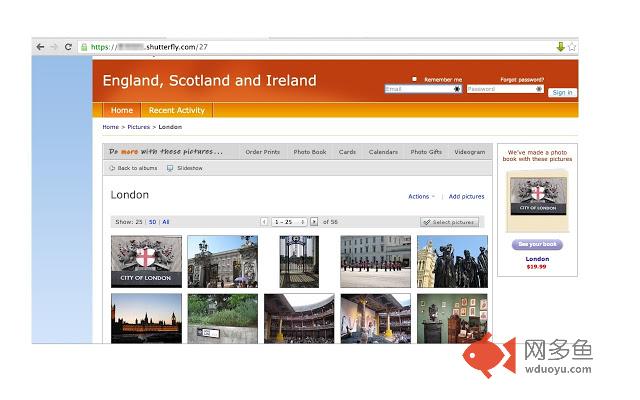
Download all pictures from your Shutterfly album to your computer插件详情
This simple extension allows you to download the contents of your Shutterfly album to your computer for backup. This extension works only on shared sites created with Shutterfly. It will not work from your account in Shutterfly.**** NOTE: If the extension doesn't work for you, send your comments to https://shutterflyextension.freshdesk.com/support/tickets/new ****
Here is how it works
- In your Shutterfly account, create a "share site" for the pictures that you want to download. This will create a site like "mypictures.shutterfly.com". You can create private site if you want to make sure no one has access to it.
- Open the share site url in Chrome
- Click on any subfolders with pictures that you have such that you see actually images appear
- If the album is available for extraction, you will see an icon in right corder the URL bar
- Click the arrow and press “Download my pictures”
- If you get a notification about downloading files, click “Allow”
- Your images should start downloading shortly. They will be downloaded into the default downloads folder.
If you get a prompt about saving each individual file, please make sure that you've allowed the extension so save multiple files at a time (see screenshot)
This extension is not affiliated with Shutterfly.com in anyway. I do not take an responsibility for your usage of the tool.
This is an open source project. Source code can be accessed via https://bitbucket.org/katzmopolitan/shutterfly_export/overview
License info:
https://bitbucket.org/katzmopolitan/shutterfly_export/raw/master/LICENSE
其他信息
官方唯一标识:dcfcbchl****************dkkemnal
官方最后更新日期:2017年7月18日
分类:图片
大小:1.49MiB
版本:1.1.4
语言:English
提供方:none
星级:4
插件下载
| 下载链接一 下载链接二 |
| Chrome插件离线安装教程 |
温馨提示
本站中的部份内容来源网络和网友发布,纯属个人收集并供大家交流学习参考之用,版权归版权原作者所有。
如果您发现网站上有侵犯您的知识产权的作品,请与我们取得联系,我们会及时修改或删除。
如果您觉得网多鱼对您有帮助,欢迎收藏我们 Ctrl+D。