Star Trek: Discovery Wallpapers New Tab
插件截图
插件概述
StarTrek插件详情
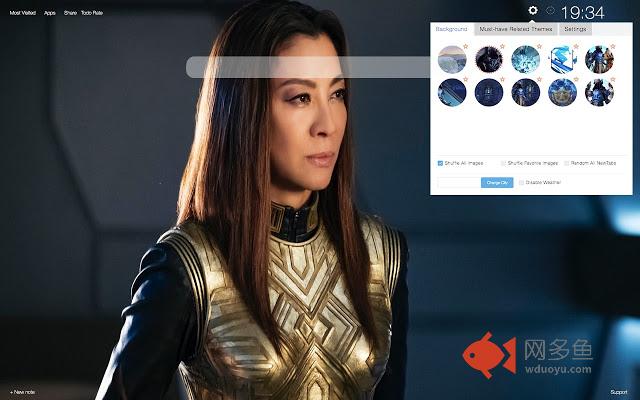
If you're a fan of the popular Star Trek franchise, then you will enjoy this Star Trek: Discovery extension, that we have created for you. Simply download this extension and enjoy the HD wallpapers that will appear every time you open a new tab. The photos are in perfect HD quality. Additionally, this extension comes with many features that will make your work on the search engine easier and more pleasant. Extension is free and will not endanger or slow down your browser's performance. Feel free to share it with your friends and other fellow fans.HOW TO USE:
- Install This extension by clicking on Add to Chrome button and it will be automatically added. Wait for few seconds while extension is loaded, the best follows!
- In the upper left corner, "GEAR". That loads settings panel, where you can use toggle button for switching features on or off. Star Trek: Discovery extension have options for you to have only HD backgrounds (pick favorite or make it random) or use some of great features.
FEATURES
- HD and fully customizable wallpapers
- Great To-Do list for productivity
- Most visited tab – fast and simple way to check visited sites
- Apps tab – productive tab for popular apps on one click
- Notes – Quick and fast way to remind you on important stuff
- Improved and easy to use Settings panel (click on Gear icon on top right corner)
Choose what tabs to use, hide them all, find update information and FAQ
- Background tab (inside settings panel) – Choose how to change background:
Pick Random, shuffle favorites or shuffle all wallpapers.
This extension is related to Star Trek: Discovery, with wallpapers, drawings and artwork.
How to remove?
To remove extension from your browser, follow these steps:
- Find three vertical dots icon on upper right corner of screen - Go to “Settings”.
- In the menu that appears , choose “Extensions”.
- From the list of installed Extensions, find the name of the extension you wish to uninstall.
- Click on the trash can icon to the right of “Enable” (for the extension you wish to uninstall).
- Our extension should be removed from your Chrome browser.
Easier way – right click on Star Trek: Discovery icon in toolbar and click “Remove from Chrome…”
Disclaimer notice:
This extension is made by Star Trek: Discovery fans, for the fans. We and the content are not affiliated with, sponsored or approved by any company and is unofficial. If you think that we broke your copyright, please contact us. While this extension is free, some part can contain ads.
其他信息
官方唯一标识:ifjjofei****************ogjibhng
官方最后更新日期:2019年3月29日
分类:娱乐
大小:6.29MiB
版本:3.0
语言:English
提供方:https://supertabthemes.com
星级:5
插件下载
| 下载链接一 下载链接二 |
| Chrome插件离线安装教程 |
温馨提示
本站中的部份内容来源网络和网友发布,纯属个人收集并供大家交流学习参考之用,版权归版权原作者所有。
如果您发现网站上有侵犯您的知识产权的作品,请与我们取得联系,我们会及时修改或删除。
如果您觉得网多鱼对您有帮助,欢迎收藏我们 Ctrl+D。