roll
插件截图
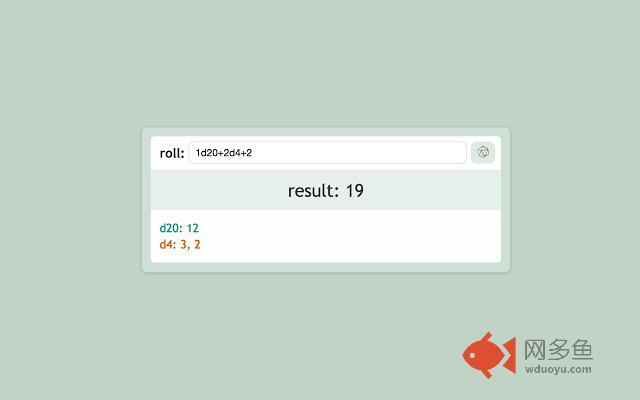
插件概述
Roll any-sided dice in Chrome's Omnibox using dice notation.插件详情
Roll is a dice roll extension that lets you roll any-sided dice in Chrome's Omnibox using dice notation. Roll can roll multiple dice with any number of sides and can perform basic addition and subtraction after the dice rolls.To use Roll:
1. Type "roll" into Chrome's Omnibox (address bar).
2. Hit TAB.
3. Type in your dice notation ("2d6", for example).
Update v2.4.0:
- You can now also use roll by clicking the extension icon in your toolbar
- If you wait about a second, Roll will show the result of your roll in the search suggestions
- Fixed an issue where the input did not stay focused, preventing enter from re-rolling
Update v2.3.2:
- Fixed an issue where the stylesheet would not load.
Update v2.3.1:
- Fixed an issue where Roll opened in the wrong window.
Update v.2.3.0:
- Roll now opens in your active tab instead of opening a new tab each time.
- Added a form that allows you to roll again with the same or different input.
- Roll results now show in the title of the tab.
- Fixing an issue where Roll sometimes shows a blank page after refreshing.
Update v.2.2.2:
- You can now create shortcut for your dice rolls. For example, '1d20 attack' will create a short cut such that 'attack' performs a '1d20'.
- Roll now supports fudge dice through 'df' or 'dF'.
Update v.2.1.0:
- Roll now uses Mersenne Twister for more natural random numbers.
- Roll displays errors when parsing user input.
- Inputs like 'd(n)' now get interpreted as '1d(n)' instead of failing to parse.
其他信息
官方唯一标识:pebdejme****************onadfpek
官方最后更新日期:2017年7月31日
分类:娱乐
大小:57.89KiB
版本:2.4.0
语言:English
提供方:none
星级:3.8
插件下载
| 下载链接一 下载链接二 |
| Chrome插件离线安装教程 |
温馨提示
本站中的部份内容来源网络和网友发布,纯属个人收集并供大家交流学习参考之用,版权归版权原作者所有。
如果您发现网站上有侵犯您的知识产权的作品,请与我们取得联系,我们会及时修改或删除。
如果您觉得网多鱼对您有帮助,欢迎收藏我们 Ctrl+D。