Netflix Autoplayer - With System Sleep Timer
插件截图
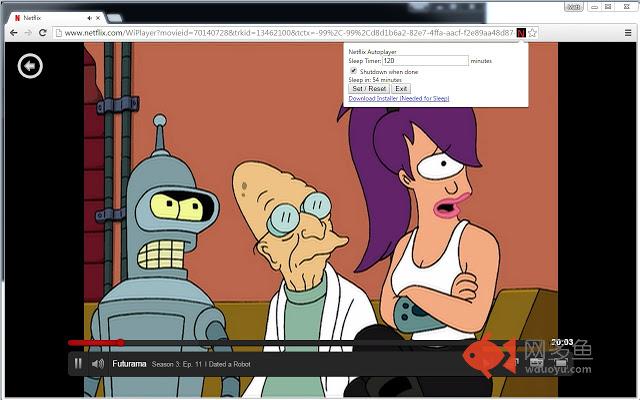
插件概述
Autoplays Netflix TV Shows - Shuts down computer when done插件详情
Netflix Autoplayer With Computer Sleep / Shutdown0.8 Updates:
Added support for Chromecast!
0.7 Updates:
Fixed a Javascript error that was breaking everything
0.6 Updates:
*Added episode counter in addition to timer
*Pausing video stops timer
*Fixed bugs when stopping
0.5 Updates:
*Play/Pause, Next and Stop media buttons on keyboard now work with Netflix.
*ctrl+q now causes the same action as the sleep timer ending (ex: pause movie & sleep).
This will autoplay Netflix TV shows for the amount of time you tell it. When the time has finished, it can Shutdown/Sleep your computer.
IMPORTANT:
For the ‘Sleep’ functionality to work, once you have installed the extension, you must download the install.bat file that you will see a link for at the bottom of the dialog for the extension. You must run this (and I believe you might need administrator privileges when you do) it creates a couple files that are needed and adds a registry entry. Really, in general I would say you should not do something like that. You shouldn’t be running random things people on the internet tell you to. If you want the ‘Sleep’ to work though, that’s what you need to do. If you understand how .bat files work, it is actually really small, so you can check out what it is doing.
Once you have done the above you can actually edit one of the files it creates, it is located at:
%LOCALAPPDATA%\Netflix-Autoplay\shutdown.bat
And by default should have the following:
:: Lock
::rundll32.exe User32.dll,LockWorkStation
:: Shutdown
::Shutdown.exe -s -t 00
:: Hibernate
::rundll32.exe PowrProf.dll,SetSuspendState
:: Sleep
rundll32.exe powrprof.dll,SetSuspendState 0,1,0
As you can see, ‘Sleep’ is what it does by default, but I have entries for Hibernate, Shutdown, and Lock all listed, just uncomment the one you want and comment the others back out…Hell if you want you could really put anything you like in that file and make it run anything when the timer gets to zero.
GitHub: https://github.com/rtpmatt/Netflix-Autoplay-Chrome-Extension
My Website: http://www.mattevanoff.com/
If you would like to get rid of some pesky Bitcoins: 1CjVo4JVZSRjj43W8so5qC1KhWmynQpW9N
其他信息
官方唯一标识:adegickc****************oammfmkg
官方最后更新日期:2015年6月11日
分类:娱乐
大小:16.72KiB
版本:0.8
语言:English (United States)
提供方:www.mattevanoff.com
星级:3.9
插件下载
| 下载链接一 下载链接二 |
| Chrome插件离线安装教程 |
温馨提示
本站中的部份内容来源网络和网友发布,纯属个人收集并供大家交流学习参考之用,版权归版权原作者所有。
如果您发现网站上有侵犯您的知识产权的作品,请与我们取得联系,我们会及时修改或删除。
如果您觉得网多鱼对您有帮助,欢迎收藏我们 Ctrl+D。