Browser EQ
插件截图
插件概述
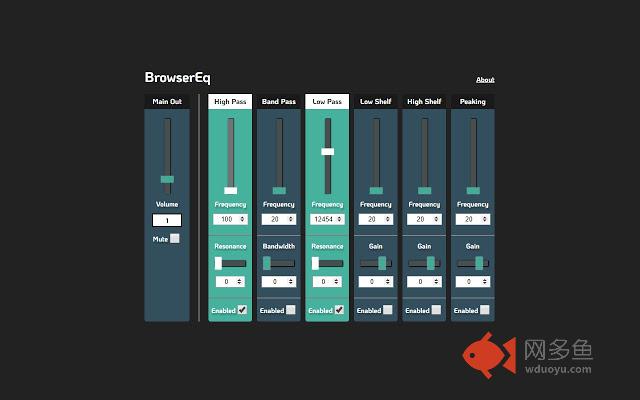
Control the frequency content of your browser audio插件详情
Browser EQ is a parametric audio equalizer that allows users to control the frequency content of their in-browser audio.Is the volume level of a video you are watching too low? Is the video game footage you are watching too bass heavy or has a high pitched hiss going on in the background?
Now you can use Browser EQ to filter, boost or cut the audio frequency content of anything you are watching in the browser, whenever you want.
Release Notes:
As of version 1.0.0, there is only one instance of the eq enabled per browser, which means when you toggle the EQ popup on another tab, that tab will take over and the previously EQ'ed tab will go back to its default audio stream.
Right now EQ persists between URL changes and page refreshes, so to close it down completely you need to close the tab (or alternatively toggle the EQ on another page).
Coming soon,
Presets, specified by use cases to give you an easier starting values.
Panning controls, to fix possible stereo problems on the video you are watching.
Ability to turn EQ on/off from the UI without having to close the tab.
其他信息
官方唯一标识:odamhgdi****************jkigdnhe
官方最后更新日期:2018年12月27日
分类:娱乐
大小:19.79KiB
版本:1.0.0
语言:English
提供方:none
星级:5
插件下载
| 下载链接一 下载链接二 |
| Chrome插件离线安装教程 |
温馨提示
本站中的部份内容来源网络和网友发布,纯属个人收集并供大家交流学习参考之用,版权归版权原作者所有。
如果您发现网站上有侵犯您的知识产权的作品,请与我们取得联系,我们会及时修改或删除。
如果您觉得网多鱼对您有帮助,欢迎收藏我们 Ctrl+D。