Viewport Dimensions
插件截图
插件概述
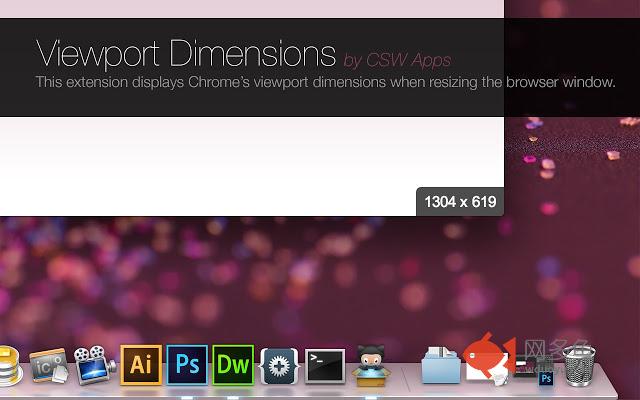
This extension displays Chrome’s viewport dimensions when resizing the browser window.插件详情
This extension displays Chrome’s viewport dimensions in the lower right corner of the browser window when resizing the browser. Very handy when you want to make the browser window a specific size for testing websites or if like me you want to make the viewport precisely 1920x1080 when recording screencasts at 1080p.*** NOTE: Chrome requires you to RESTART Chrome before this extension is fully loaded.
*** UPDATED v0.0.7 ***
With the release of 0.0.7 I have added some new features, you can now set the amount of time the dimensions should remain visible for, the location on the screen the dimensions should appear, the background color, the text color, and size, and you now have the option to enable/disable both the inner/outer dimensions.
*** UPDATED v0.0.6 ***
FIX: I fixed an issue where sometimes the viewport details panel would hide
behind website elements, to fix this I have increased the z-index to
the maximum number.
*** UPDATED v0.0.5 ***
FIX: I fixed the error that would show up in the Chrome console.
NEW: I upgraded jQuery to v1.11.1
*** UPDATED v0.0.4 ***
NEW: The extension now displays Chrome’s inner and outer sizes.
NEW: The extension now works in offline mode, or with URLs "file:///".
If you find any issues or if this extension is not working correctly please post a comment on our GitHub page before leaving a review so I have a chance to fix it, thanks ;O)
https://github.com/CSWilson/Viewport-Dimensions/issues
You can view the code within this extension over at GitHub:
https://github.com/CSWilson/Viewport-Dimensions
其他信息
官方唯一标识:kchdfagj****************padcjkhk
官方最后更新日期:2016年9月17日
分类:开发者工具
大小:47.8KiB
版本:0.0.7
语言:English (United States)
提供方:www.cswapps.com
星级:2.9
插件下载
| 下载链接一 下载链接二 |
| Chrome插件离线安装教程 |
温馨提示
本站中的部份内容来源网络和网友发布,纯属个人收集并供大家交流学习参考之用,版权归版权原作者所有。
如果您发现网站上有侵犯您的知识产权的作品,请与我们取得联系,我们会及时修改或删除。
如果您觉得网多鱼对您有帮助,欢迎收藏我们 Ctrl+D。