Sitecore Icon Search
插件截图
插件概述
Sitecore Icon Search Chrome Extension插件详情
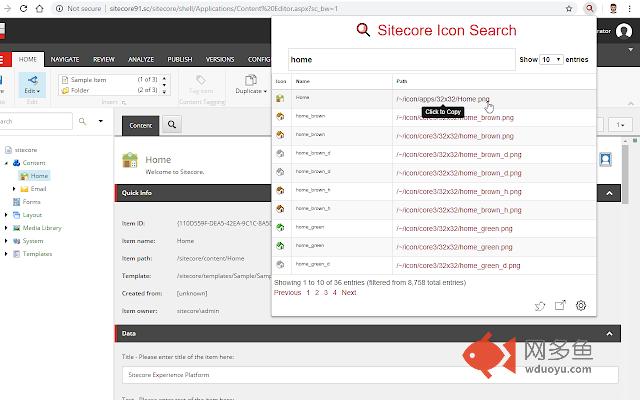
The Sitecore Icon Search Google Chrome extension is a converted version of the Sitecore Icon Search Web App. It assists developers to search and add Sitecore icons without ever leaving the tab.1) Navigate to a template or item and click the Icon field.
2) Click the Sitecore Icon Search extension icon.
3) Search and click the icon link you want to use.
The extension automatically:
- Enables the Standard Fields checkbox under the Views tab in the Ribbon (if it's not already enabled).
-Sets the Icon field under the Appearance section to the selected icon (user does not need to select the Icon field). A copy of the selected icon's relative path will still be copied to the clipboard.
-Saves the item.
其他信息
官方唯一标识:hepjmecg****************fojbjhio
官方最后更新日期:2019年1月2日
分类:开发者工具
大小:538KiB
版本:2.0.0
语言:English
提供方:sitecoregabe.com
星级:5
插件下载
| 下载链接一 下载链接二 |
| Chrome插件离线安装教程 |
温馨提示
本站中的部份内容来源网络和网友发布,纯属个人收集并供大家交流学习参考之用,版权归版权原作者所有。
如果您发现网站上有侵犯您的知识产权的作品,请与我们取得联系,我们会及时修改或删除。
如果您觉得网多鱼对您有帮助,欢迎收藏我们 Ctrl+D。