PlantUML Viewer
插件截图
插件概述
Shows graphs and diagrams rendered by PlantUML (UML, Ditaa and Dot).插件详情
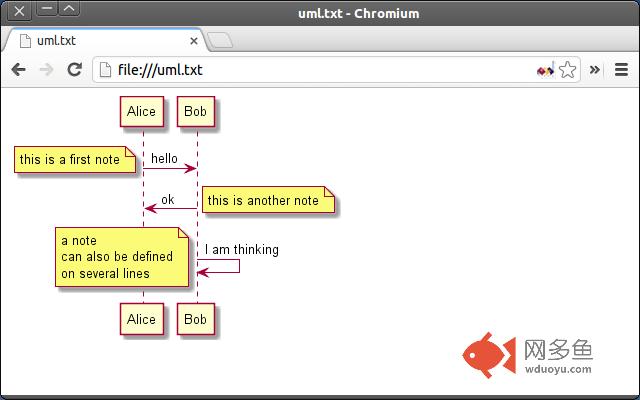
# PlantUMLRenders UML diagram as defined in a text file. For full syntax of the text file, see:
http://plantuml.sourceforge.net/index.html
1. Install the extension from Chrome Web Store.
2. Check "Allow access to file URLs" in chrome://extensions/.
3. Open local or remote text file with UML diagram definition in browser (the text starts with @startuml).
4. See the rendered UML diagram!
If the plugin stops working after update, uncheck and check the "Allow access to file URLs" in chrome://extensions/ again.
If it does not help, clear the cache (strange Chrome caching behavior). I do not know, what Chrome is doing, but I had to reload background page and popup page of the extension after update.
## Features
- Automatically updates the diagram when the local file is changed.
- You can use your own server by changing the server URL in the popup of the action button (action button is displayed while viewing PlantUML files).
## Permissions
Your data on all websites
: Used to check whether the current page contains PlantUML diagram.
## History
1.2
- Added option to change type (PNG/SVG/TXT/None).
1.1
- Recognizes Ditaa and Dot graphs.
1.0
- The first version.
## Credits
Credits go to Arnaud Roques, the author of the PlantUML. If you like this plugin, support the original author via the PayPal button on the PlantUML site (http://plantuml.sourceforge.net/index.html).
其他信息
官方唯一标识:legbfelj****************gejojooj
官方最后更新日期:2013年4月14日
分类:开发者工具
大小:36.15KiB
版本:1.2
语言:English
提供方:none
星级:4.1
插件下载
| 下载链接一 下载链接二 |
| Chrome插件离线安装教程 |
温馨提示
本站中的部份内容来源网络和网友发布,纯属个人收集并供大家交流学习参考之用,版权归版权原作者所有。
如果您发现网站上有侵犯您的知识产权的作品,请与我们取得联系,我们会及时修改或删除。
如果您觉得网多鱼对您有帮助,欢迎收藏我们 Ctrl+D。