Hyperlink
插件截图
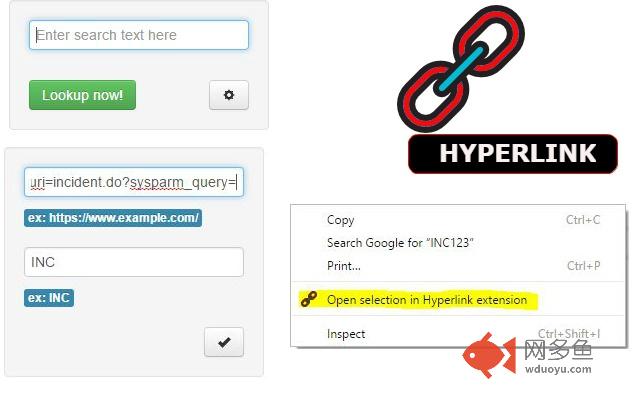
插件概述
This extension will link context to the source system插件详情
Hyperlink - Quickly search for highlighted text on source system via right-click. Provide source URL in the setup screen.Hyperlink highlighted text Chrome extension:
Use Hyperlink to link and open any application url from web email or data warehouse systems.
* Set the "URL" and "Start-with" text in settings.
* "URL" should start with http:// or https://
* Highlighted word should match the "Start-with" text.
* Right click and use the context menu "Open selection text in Hyperlink extension" to open text in "URL" specified.
Examples
========
Service Now:
URL: https://www.service-now.com/nav_to.do?uri=incident.do?sysparm_query=number=
Start-with : INC
SalesForce:
URL:https://na15.salesforce.com/a0U/e?CF00Ni000000EpsgO=
Start-with : OPP
Notes:
* Hyperlink doesn’t support multiple urls.
其他信息
官方唯一标识:kljnlape****************lipefbld
官方最后更新日期:2017年2月25日
分类:开发者工具
大小:53.28KiB
版本:1.0.0.1
语言:English (United States)
提供方:none
星级:5
插件下载
| 下载链接一 下载链接二 |
| Chrome插件离线安装教程 |
温馨提示
本站中的部份内容来源网络和网友发布,纯属个人收集并供大家交流学习参考之用,版权归版权原作者所有。
如果您发现网站上有侵犯您的知识产权的作品,请与我们取得联系,我们会及时修改或删除。
如果您觉得网多鱼对您有帮助,欢迎收藏我们 Ctrl+D。