F5NoMore
插件截图
插件概述
Automatically refresh a project when source files change插件详情
F5NoMore is a project for Web Developers to help them develop a more seamless workflow by monitoring a local project for changes and immediately reflecting updates in the browser (by automatically reloading the page).HOW IT WORKS
--------------------------
F5NoMore is composed of two parts:
* Python Package
* Chrome Extension
The python script watches the filesystem for changes and when it sees changes it communicates with the extension which reloads the page.
INSTALL
------------------------
You need to install both the F5NoMore Python package and the F5NoMore Google Chrome Extension. You can install the chrome extension from this page.
Installing the python package
------------------------
There are three steps to install the python package:
* Install Python (https://www.python.org/download/)
* Install pip (http://pip.readthedocs.org/en/latest/installing.html)
* Run "python -m pip install f5nomore"
You can find more info about the python package at https://pypi.python.org/pypi/F5NoMore
Usage
-----------------------
Once everything is installed you should start the python script with:
python -m f5nomore
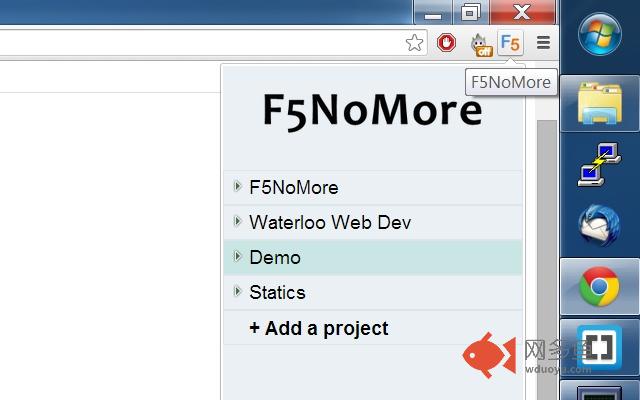
Next you should set up the files you want to watch using the Chrome extension:
* Double click on the F5 icon to open the file select dialogue.
* Add a new project
* Open the new project by clicking the arrow to the left of it
* Select the file/folders you want to watch
* Close the dialog
Now click once on the F5 icon to toggle F5NoMore on and off in a given tab
其他信息
官方唯一标识:bgkkcdja****************dohaieap
官方最后更新日期:2014年7月15日
分类:开发者工具
大小:150KiB
版本:0.0.6
语言:English
提供方:none
星级:2.3
插件下载
| 下载链接一 下载链接二 |
| Chrome插件离线安装教程 |
温馨提示
本站中的部份内容来源网络和网友发布,纯属个人收集并供大家交流学习参考之用,版权归版权原作者所有。
如果您发现网站上有侵犯您的知识产权的作品,请与我们取得联系,我们会及时修改或删除。
如果您觉得网多鱼对您有帮助,欢迎收藏我们 Ctrl+D。