Block Yourself from Analytics
插件截图
插件概述
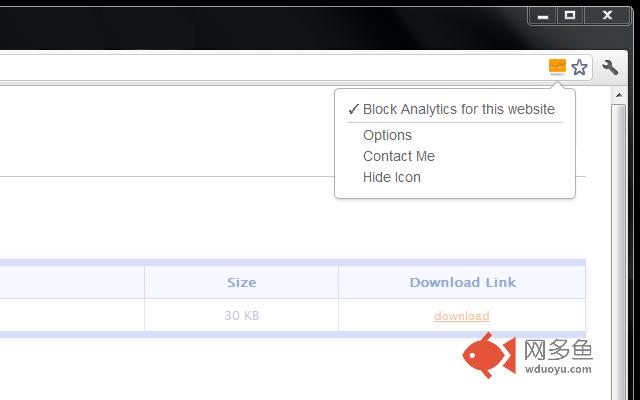
Block your Google Analytics™ activity for the websites you own, no more false stats.插件详情
Extension is meant for webmasters to block their own visits for their websites thus avoiding false stats.Easy to manage website list accepts domain names with wildcards. It is not meant to block Google Analytics™ script for all websites, I don't support that so please don't ask for this ability.
:: Minimum Requirements
Requires at least Chrome v29
:: Known Issues
Chrome has a bug where WebRequest API (needed for extension to work) dosn't work if website has service worker => https://bugs.chromium.org/p/chromium/issues/detail?id=766433
:: How to use?
Open extension settings, go to websites list and add all your websites to the list. You can use "example.com" or "www.example.com" for exact match OR use wildchar like "*example.com" to match example.com with all it's subdomains. Note that if you put dot between wildchar and domain name you would only match subdomains and not your naked domain name.
Extension is available for Chrome, Firefox and Opera.
:: Contact & Report Issues:
https://www.igorware.com/contact
---------------------------------------------------------
:: Changelog
v3.1.0
- support for ga-lite (Google Analytics Lite)
- support for Beacon API
v3.0.5
- fixed issue with tab switching in extension options
v3.0.4
- code cleanup
- updated minimum requirements to Chrome v29
v3.0.3
- fixed logger script
v3.0.2
- improved logger script
v3.0.1
- fixed an issue where options page would not work if opened before extension has been initialised
- improved logger script
v3.0.0
- extension icon will now behave a bit differently, it will not be disabled for "system" pages so you will still be able to access extension's popup menu
- moved localStorage to storage API (rewrite of extension's storage)
- changed default message for extension's icon tooltip to avoid confusion
- enabled chrome_style for options, this should make sure options have more consistent UI with Chrome
- added error logger (this will help me catch errors sooner)
- other small fixes
- minimum browser requirement is now Chrome v22
===> Full changelog available on the website
其他信息
官方唯一标识:fadgflmi****************hefbnehm
官方最后更新日期:2019年2月21日
分类:开发者工具
大小:42.43KiB
版本:3.1.0
语言:English
提供方:igorware.com
星级:4.5
插件下载
| 下载链接一 下载链接二 |
| Chrome插件离线安装教程 |
温馨提示
本站中的部份内容来源网络和网友发布,纯属个人收集并供大家交流学习参考之用,版权归版权原作者所有。
如果您发现网站上有侵犯您的知识产权的作品,请与我们取得联系,我们会及时修改或删除。
如果您觉得网多鱼对您有帮助,欢迎收藏我们 Ctrl+D。