Blink Style Importer
插件截图
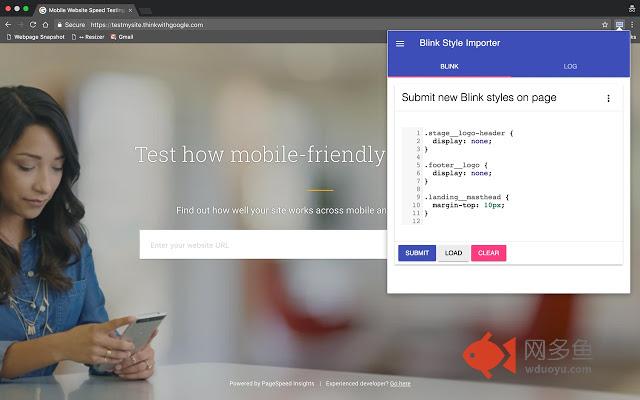
插件概述
Adding custom css styles on any page, with cloud synchronization for save short styles across devices插件详情
Features:- Autocomplete
- CSS Code Linting
- Check on Brackets
- Saving short styles in cloud when logged in Chrome browser
Changelog:
0.2.3
* Under the hood: Changed few permissions and background page for operate with Google Firebase
* Added: Profile page, with Google login
* Added: Google Firebase, for store accounts/options, now only store profiles
0.2.2
* Added: Alert message if storage for page are full, or text too long
* Change: Now icon change right after save or clear blink style
0.2.1
* Fix: Correct strings save in storage
0.2.0
* Under the hood: Started options page. Added settings versions feature for future updates
* Added: Auto-save feature, by default
* Added: Loading Progress bar for Auto-save
* Change: Editor font size now 14px, by default
* Change: Removed Submit button
0.1.7
* Change: Removed Load button
* Change: Now Notifications messages appear less often
* Added: Script will try load page first time if it real url page only
* Added: Now when load page with Blink styles, extension icon will be changed
0.1.6
* Publish to store and added git home page
0.1.5
* Added: context menu dropdown in modal
* Added: action to clear all data from storage
* Added: action to clear only current data from storage
* Added: action to log all storage data to console
* Updated screens
0.1.1
* Start rewrite app
* Now added Chrome synchronization
* Start saving data in storage
0.1.0
* Refactored code
* When popup opened it try load exist Blink styles from page
0.0.1
* First version, it no save data after page reload
其他信息
官方唯一标识:lbgchcpk****************kopchcff
官方最后更新日期:2019年3月8日
分类:开发者工具
大小:1.16MiB
版本:0.2.3
语言:English
提供方:none
星级:5
插件下载
| 下载链接一 下载链接二 |
| Chrome插件离线安装教程 |
温馨提示
本站中的部份内容来源网络和网友发布,纯属个人收集并供大家交流学习参考之用,版权归版权原作者所有。
如果您发现网站上有侵犯您的知识产权的作品,请与我们取得联系,我们会及时修改或删除。
如果您觉得网多鱼对您有帮助,欢迎收藏我们 Ctrl+D。