BlazeMeter | The Continuous Testing Platform
插件截图
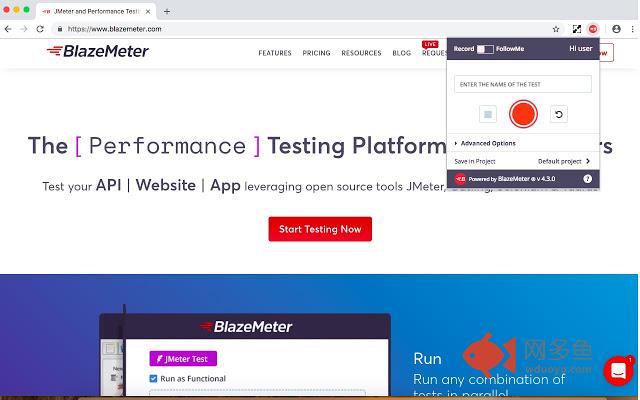
插件概述
Record Selenium and HTTP traffic to create a load and functional tests in less than 10 minutes (Apache JMeter Compatible).插件详情
BlazeMeter Chrome extension enables you to - Record. Browse. Upload. Run.The Chrome extension records all of the HTTP/S requests and actual user interactions that your browser sends, creates a synced JMeter and Selenium scripts, and automatically uploads it to BlazeMeter, where you can execute it with a single click. No need to install JMeter nor Selenium to record or run your performance test, the Chrome extension will create the JMeter and Selenium scripts automatically.
The extension will also allow you to debug and test your recorded Selenium session on your local Chrome browser.
By using JMeter locally, you can debug and enhance the JMX file create by the Chrome Extension to insure your script is ready to go.
WHAT'S NEW:
https://guide.blazemeter.com/hc/en-us/articles/115004970329-Chrome-Extension-Changelog-Chrome-Extension-Changelog
This extension offers one mode:
Record - Creates JMeter and Selenium Scripts for You
Records all your browsing activity to create JMeter and Selenium scripts for the scenario you recorded, debug them locally or upload it to BlazeMeter. Execute with a single click or export it as a JMeter .jmx / Taurus Selenium YAML or a joined file of both JMeter and Selenium together.
Run load tests in under ten minutes
Features & Requirements
- Records all HTTP/S requests made by your browser
- Records user GUI actions
- Add assertions to your Selenium steps
- Add transaction labels (for JMeter and Selenium) during recording
- If you want to record transactions Chrome version 58 is required
- Recommended minimum version of Chrome is 58
- Apache JMeter Compatible
- For certain features a free BlazeMeter account is required (e.g. converting to JMX)
- Taurus Selenium Compatible
- Run tests without test scripting applications
- Run tests for up to 3,000,000 concurrent users
- Run API Functional Test
- Run your Selenium tests and your JMeter test side by side to get best of both worlds
其他信息
官方唯一标识:mbopgmdn****************hfongabi
官方最后更新日期:2019年6月19日
分类:开发者工具
大小:1.72MiB
版本:4.6.0
语言:English
提供方:none
星级:4.4
插件下载
| 下载链接一 下载链接二 |
| Chrome插件离线安装教程 |
温馨提示
本站中的部份内容来源网络和网友发布,纯属个人收集并供大家交流学习参考之用,版权归版权原作者所有。
如果您发现网站上有侵犯您的知识产权的作品,请与我们取得联系,我们会及时修改或删除。
如果您觉得网多鱼对您有帮助,欢迎收藏我们 Ctrl+D。