Android Studio and SDK tools
插件截图
插件概述
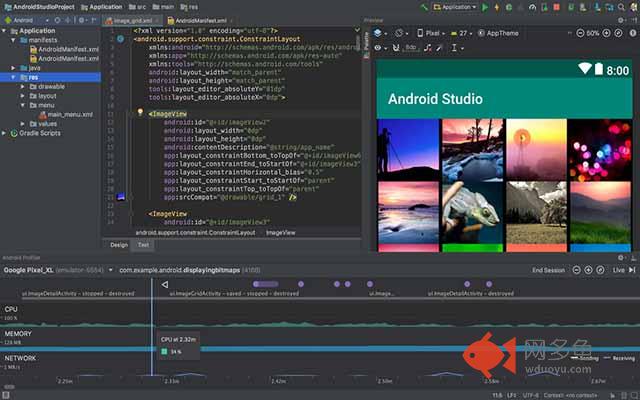
Android Studio is the official integrated development environment (IDE) for the Google Android operating system.插件详情
Android Studio is the official application development environment for the respective operating system, designed to replace Eclipse. The latter, by the way, is currently the most popular tool in the circle of Android developers. The development process in the Android Studio environment has become even more flexible than that of the main competitor. This is achieved by displaying all the worker files directly in the project structure. The ability to see all visual changes of the project in real time is also extremely useful. This SDK also provides an opportunity to test the work of a future application on different devices. In the built-in emulator Android devices, you can set a variety of technical configurations and screen resolution for the test. In addition, when using emulation, it is possible to obtain information on the approximate level of performance for a particular device.Android Studio includes innovative tools for packaging and labeling code that will help not to get lost in an extensive project. Also in the program, the Drag-n-Drop function is implemented, which allows dragging project components right in the development environment window. To realize the possibility of sending future push notifications to the application, there is a special tool in the Android Studio package called Google Cloud Messaging. This SDK also greatly simplifies the process of localizing applications.
其他信息
官方唯一标识:hcklaede****************nnnhdgen
官方最后更新日期:2019年3月8日
分类:开发者工具
大小:17.83KiB
版本:1.0
语言:English
提供方:none
星级:2.8
插件下载
| 下载链接一 下载链接二 |
| Chrome插件离线安装教程 |
温馨提示
本站中的部份内容来源网络和网友发布,纯属个人收集并供大家交流学习参考之用,版权归版权原作者所有。
如果您发现网站上有侵犯您的知识产权的作品,请与我们取得联系,我们会及时修改或删除。
如果您觉得网多鱼对您有帮助,欢迎收藏我们 Ctrl+D。