Acquia Monitor
插件截图
插件概述
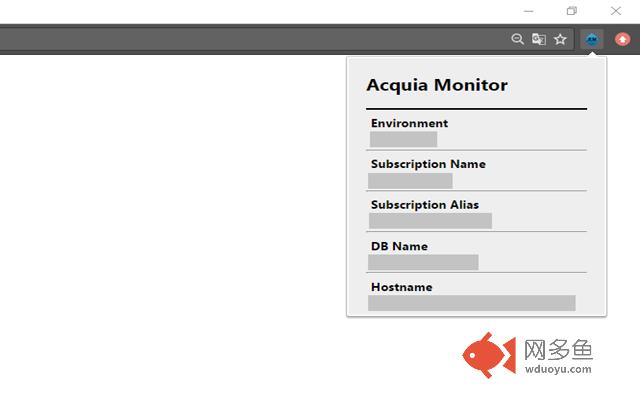
Allow to show information about subscription where is based a site.插件详情
Acquia MonitorBrowser Chrome extension which allows to show Acquia subscriptions data. It also includes ability to build and show direct link to specific Acquia subscription
What is this for?
If you have many Acquia subscriptions for your sites, sometimes you need a quick way to find where a site lives. Traditionally, you would login to insight.acquia.com and navigate through each subscriptions domain list searching each page for a match. Or, if you are technical savvy you could even write a script against their Cloud API to dump and catalog these mappings.
Features
* Show Acquia subscriptions data per a site
* Simple for usage
* Easy for configuration
Configuration
Go to configuration page of the extension by clicking right button mouse on the extensions’ icon. On the page we need to configure X-Acquia-Monitoring Header field.
The value will be a key, which you can find on any one of your server's Apache configuration files. To find the key, run this command on your Acquia server:
_$ grep X-Acquia-Monitoring /etc/apache2/conf.d/*._
其他信息
官方唯一标识:kpgcghpp****************ehdfcpde
官方最后更新日期:2017年4月25日
分类:开发者工具
大小:62.42KiB
版本:1.2
语言:English
提供方:none
星级:5
插件下载
| 下载链接一 下载链接二 |
| Chrome插件离线安装教程 |
温馨提示
本站中的部份内容来源网络和网友发布,纯属个人收集并供大家交流学习参考之用,版权归版权原作者所有。
如果您发现网站上有侵犯您的知识产权的作品,请与我们取得联系,我们会及时修改或删除。
如果您觉得网多鱼对您有帮助,欢迎收藏我们 Ctrl+D。