Accessibility Insights for Web
插件截图
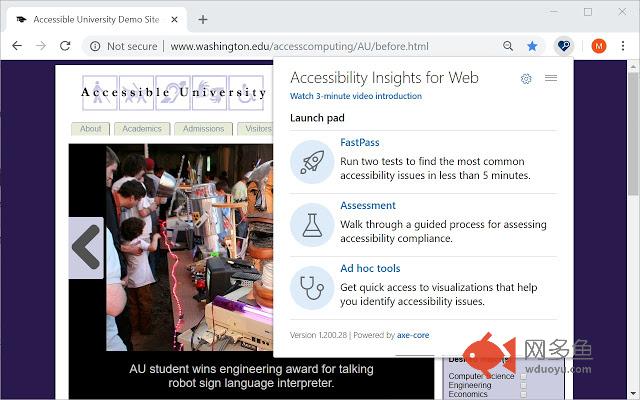
插件概述
Accessibility Insights for Web helps developers quickly find and fix accessibility issues.插件详情
Learn more about Accessibility Insights at https://aka.ms/accessibilityinsights.The default keyboard shortcut to launch Accessibility Insights for Web is [Ctrl+Shift+K].
If that doesn't work, follow these instructions:
1. Select Shift+Alt+T to move focus to the Chrome address bar
2. Select the Left arrow key to move focus to the Accessibility Insights for Web extension.
3. Select the Space key to open the extension.
Privacy policy: http://go.microsoft.com/fwlink/?LinkId=521839
Third Party Notice: https://microsoft.github.io/accessibility-insights-web/NOTICE.html
License: https://microsoft.github.io/accessibility-insights-web/LICENSE.txt
其他信息
官方唯一标识:pbjjklig****************hfmpjeni
官方最后更新日期:2019年6月28日
分类:开发者工具
大小:4.07MiB
版本:2.6.0
语言:English
提供方:none
星级:4.4
插件下载
| 下载链接一 下载链接二 |
| Chrome插件离线安装教程 |
温馨提示
本站中的部份内容来源网络和网友发布,纯属个人收集并供大家交流学习参考之用,版权归版权原作者所有。
如果您发现网站上有侵犯您的知识产权的作品,请与我们取得联系,我们会及时修改或删除。
如果您觉得网多鱼对您有帮助,欢迎收藏我们 Ctrl+D。