SecuReddit
插件截图
插件概述
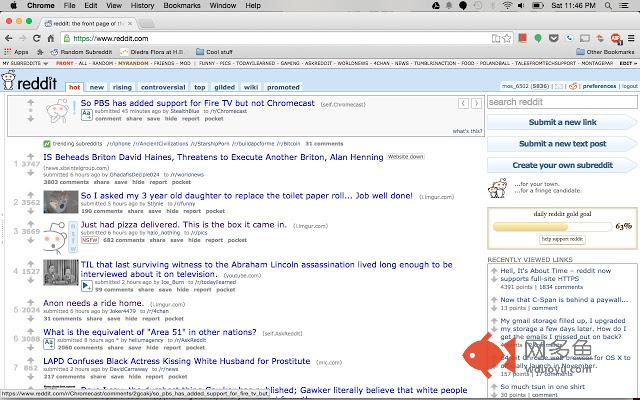
Automatically redirects plain HTTP reddit.com to the encrypted, HTTPS secured version. Deprecated since Sept. 8, 2014.插件详情
--------------------- READ ME!! ---------------------Version 2.0 and Reddit finally doing the inevitable!
Good news, everybody! You don't need this extension anymore!
Reddit has finally implemented HTTPS, and it's about damn time, too!
Check out the blog post: http://www.redditblog.com/2014/09/hell-its-about-time-reddit-now-supports.html
To enable the feature, go to this page: https://ssl.reddit.com/prefs/security/
OR
Simply use https://www.reddit.com.
OR
Add Reddit to the wonderful HTTPS Everywhere extension.
Enjoy!!
NOTE:
I'll be leaving this extension on the webstore for people that still want it.
The latest update stops directing people to pay.reddit.com and instead directs them to http://reddit.com.
Users should just migrate to HTTPS Everywhere at this point :)
----------------------------------------
The NSA. The GHCQ. Russia. Cisco. Networking. The Internet.
I was trying to give this extension a bit of a sinister introduction, but I suppose I failed at that :/...
Anyways, behold! I give to you... SecuReddit! The first (and best) extension to automatically keep your leisurely Reddit browsing safe from prying eyes!
**What IS SecuReddit?
SecuReddit is an extension that makes use of the power of Chrome alongside the well known hack to use an HTTPS encrypted version of Reddit.
Basically, it redirects reddit.com to https://pay.reddit.com, the purpose being that reddit.com is NOT encrypted, while https://pay.reddit.com IS.
**Wait, what? Why do I need this extension? HTTPS, you say?
HTTPS is an invaluable tool that keeps your web traffic (visiting web pages, viewing images, etc...) safe in transit.
HTTP vs. HTTPS is comparable to sending something on a postcard (where there's no protection on it at all, and anyone can look at it and see what's there) vs putting your letter in an envelope (e.g. hiding your web traffic with encryption).
Because of this, all major websites have turned on HTTPS by default, except for our beloved Reddit (Who's administrators have been dragging their feet on the issue for whatever reason), which necessitates this extension to supplement our needs for security on today's web.
If you'd like an explaination that's a bit more in depth, check out this video: www.youtube.com/watch?v=JCvPnwpWVUQ
**Alright, I understand what HTTPS is and why encryption is important, but what's all this https://pay.reddit.com business?
https://pay.reddit.com is the URL that Reddit uses to provide a secure area for users to make payments (Such as buying Reddit Gold, or Reddit-themed merchandise, etc.)
Using encryption on such a page is an obvious necessity, as it keeps your credit card and personal information safe and encrypted.
Interestingly enough, this URL also works on the entire site, so any reddit.com link is also an https://pay.reddit.com link.
**I can haz source?
Sure! It's on GitHub at: https://github.com/ctrezevant/secureddit/
The best part is, this extension accomplishes all of this quickly, automatically, and in the background. You just install it and you never have to think about it again.
Sleep peacefully, fellow redditors, knowing that you can now waste time on Reddit securely.
Also, don't forget to spread the world about SecuReddit, and message the admins about enabling HTTPS by default!
NOTE TO INTERNATIONAL USERS/USERS WHO SPEAK A LANGUAGE OTHER THAN ENGLISH:
Using SecuReddit with languages other than English:
This extension has full support for all languages on Reddit, provided that you have set your language
as the default in your account preferences.
If you haven't done that, go to reddit.com/prefs/ and set "Interface language" to your language of choice.
From now on, use reddit.com instead of (your language code).reddit.com.
The interface will be in english at first, but it will automatically change to your language once you log in.
其他信息
官方唯一标识:ihjcechm****************ekmgmagd
官方最后更新日期:2014年9月13日
分类:社交与通讯
大小:1.1MiB
版本:2.0
语言:English (United States)
提供方:none
星级:4.7
插件下载
| 下载链接一 下载链接二 |
| Chrome插件离线安装教程 |
温馨提示
本站中的部份内容来源网络和网友发布,纯属个人收集并供大家交流学习参考之用,版权归版权原作者所有。
如果您发现网站上有侵犯您的知识产权的作品,请与我们取得联系,我们会及时修改或删除。
如果您觉得网多鱼对您有帮助,欢迎收藏我们 Ctrl+D。