Secure Email
插件截图
插件概述
Secure Email插件详情
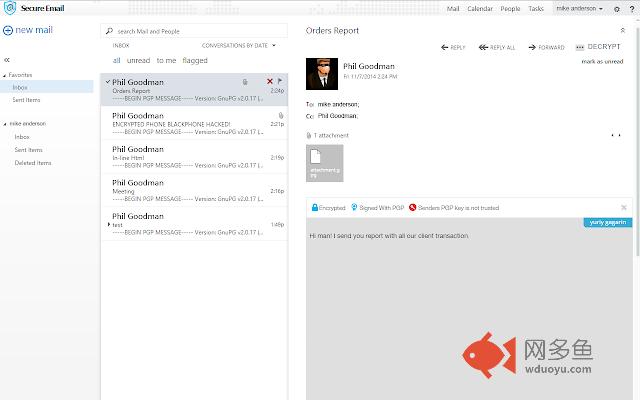
The Secure Email client extension, now available as a beta, offers you the strongest encryption available for email communication, PGP. A veteran of the open source battlefield, PGP has been tested by thousands, and found to be THE standard for email privacy protection. Secure Email makes PGP easy to use, and available to anyone. Files and extensions are encrypted as well, with the option to hide even the type of file until unencrypted. (If option selected, attachments are shown as "Attachment.pgp".) Secure Email can be used on your Android device, version 4.0 and above, your Blackberry, version 6 and up, and now, with this extension, it can be used with Outlook Desktop, Firefox, and of course, Google Chrome.This extension requires a paid subscription to the Secure Email service to function
Why Secure Email:
Our service protects your email throughout it's lifecycle, on your device, en route, on the server, and upon delivery to the recipient, who can be absolutely confident the email came from you, and vice versa.
With Secure Email, you can:
1. Send secure email to any email client using PGP encryption.
2. Protect files and attachments sent by email
3. Verify the identity of any sender at any time.
4. Change your public and private keys at any time.
5. Send regular email to any recipient without Secure Email.
How to purchase a subscription:
You can purchase a Secure Email account on our Secure Group site (https://secure.securegroup.com/cart.php). It is available in an Android package, called Secure Pack, and in our new Secure Phone.
If on the Secure Group site, select 'Secure Pack'.
1. Click the 'Order now' button.
2. Choose an existing or create a domain for your account.
3. Select the desired options for billing cycle, server host location, and your account details (username, password etc.)
4. Confirm details and provide purchase gateway information.
5. You will receive an email containing login details after the registration is accomplished.
How to install:
1. Download the application.
2. Sign up and register your new email address with us.
3. Sign into the application with your new credentials.
4. Follow our tutorial video to create your keys
5. Send encrypted email to other PGP recipients
Who Can Use It?
Secure Email offers clients for and is compatible with Outlook Desktop, Google Chrome and Firefox. It is available on Android devices version 4 and up, and Blackberry devices above version 6. It is part of an bundled encrypted communication solution called Secure Pack, including Secure Chat and Secure Voice, found on our website. In addition, it is found along with our complete repertoire of security applications on our new Secure Phone offering. For more information, go to www.securegroup.com/products
其他信息
官方唯一标识:okdfpemo****************janbnnkl
官方最后更新日期:2016年4月13日
分类:社交与通讯
大小:1.2MiB
版本:0.9.9.91
语言:English
提供方:https://www.securegroup.com
星级:3.4
插件下载
| 下载链接一 下载链接二 |
| Chrome插件离线安装教程 |
温馨提示
本站中的部份内容来源网络和网友发布,纯属个人收集并供大家交流学习参考之用,版权归版权原作者所有。
如果您发现网站上有侵犯您的知识产权的作品,请与我们取得联系,我们会及时修改或删除。
如果您觉得网多鱼对您有帮助,欢迎收藏我们 Ctrl+D。